

Free Color Palette Extractor
Pull 4, 6, 8 or 12 colors from a JPG, PNG or WebP image with this free color palette extractor. Copy HEX, RGB or HSL codes or CSS variables. Your image stays on your device.
Drop your image here
or click to browse. JPG, PNG or WebP
Turn an Image Into a Ready-to-Use Color Palette
Pick 4, 6, 8 or 12 colors, switch between HEX, RGB and HSL, and copy single codes or the whole palette as CSS variables.
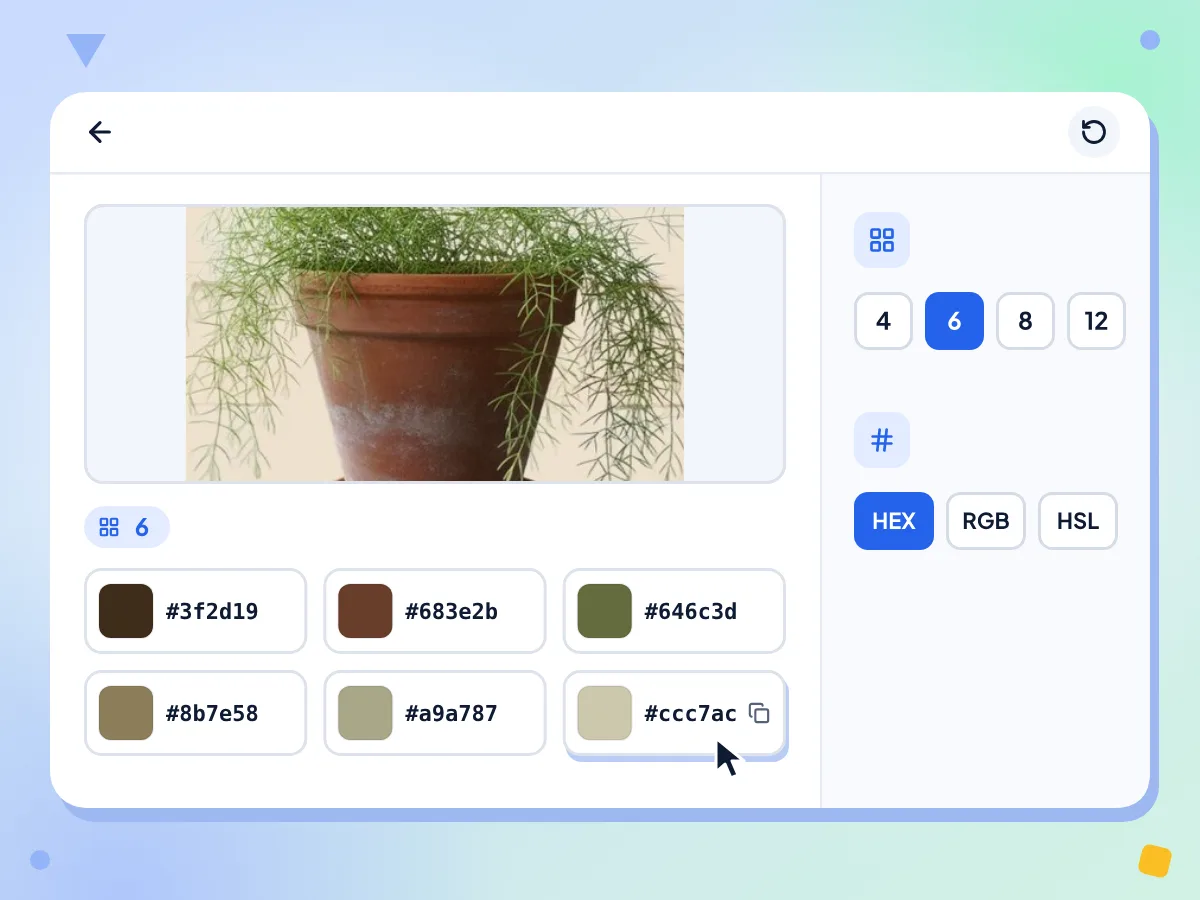
Extract Colors From an Image
Drop a photo, logo or screenshot and the palette appears on its own. Each swatch is the average color of one group of pixels, found with the median-cut method.
- JPG, PNG and WebP images accepted
- Palette appears as soon as it loads
- Choose 4, 6, 8 or 12 colors
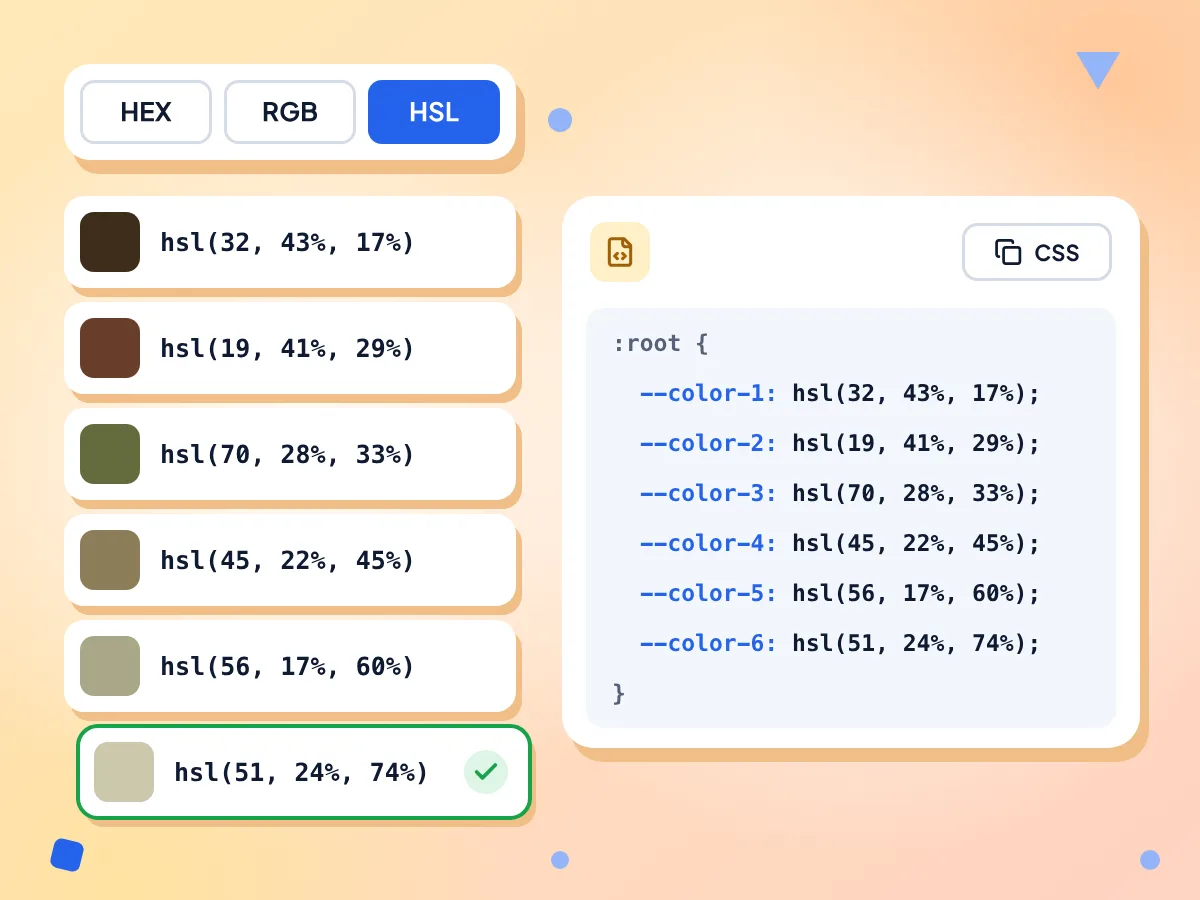
Copy HEX, RGB and HSL Color Codes
Switch every swatch between HEX, RGB and HSL with one click, then tap a swatch to copy its code. The CSS Variables box holds the full palette, ready for a stylesheet.
- HEX, RGB or HSL codes
- Copy all as CSS variables
- Named --color-1 to --color-12
Pick Your Palette Size
Use 4 colors for a tight brand palette, or 6, 8 or 12 to see more shades. The palette updates right away when you change the size, with no need to upload again.
Your Image Stays on Your Device
The colors are worked out inside your browser tab, and the picture is never sent to us. We only count anonymous usage, such as the palette size picked and how long it took.
Clean Palettes From Transparent Logos
Pixels that are more than half see-through are skipped. The empty area around a PNG logo or icon adds no stray black or white swatch to your palette.
Large Photos Scaled for Analysis
Before counting colors, the tool scales a copy of the image to 256 pixels on its longest side. Big camera photos are handled the same way as screenshots, though tiny details blend into nearby colors.
How to Extract a Color Palette From an Image
Add your image.
Drop one JPG, PNG or WebP file onto the box, or click to choose it. The editor opens and builds a 6-color palette right away.
Set the palette size.
Click 4, 6, 8 or 12 under Palette Size to change how many colors you get. Pick HEX, RGB or HSL under Color Format.
Copy your colors.
Click any swatch to copy its code, or click Copy all as CSS variables to grab the whole palette. Paste it into your stylesheet or design app.
Who Uses the Color Palette Extractor
Designers, developers, and marketers who need to pull usable color codes from visual assets.
UI & Web Design
Pull colors from a client's photos, mockups or hero images and paste them as CSS variables. It gives you a starting set of design tokens that matches the imagery.
- Turn a hero image into --color-1 to --color-N variables
- Match button and link colors to product photos
- Copy RGB or HSL values to fine-tune in your code
Logos & Brand Kits
Drop a PNG logo to get its brand colors as HEX codes. Transparent areas are skipped, so the palette comes from the logo itself, not the empty background.
- Find the HEX codes of a client's logo
- Match slides and social posts to the brand colors
- Build a simple brand kit from product photos
Art & Illustration
Sample a limited palette from a reference photo, painting or mood board. Use 4 or 6 colors to keep a study simple, then paint with those values.
- Pull a limited palette from your reference photos
- Sample colors from a painting for a color study
- Collect matching color sets for a mood board
Frequently Asked Questions
Answers about extracting color palettes and HEX codes from images.
How do I extract a color palette from an image?
Drop a JPG, PNG or WebP image on this page. The editor opens and shows a 6-color palette as soon as the image loads. Change the count under Palette Size, then click a swatch to copy its code.
How do I get hex codes from an image?
Upload the image and leave Color Format on HEX, the default. Each swatch shows a six-digit code such as #3a7bd5. Click a swatch to copy that code, or press Copy all as CSS variables to copy every code at once.
How many colors can I extract from one image?
You can pick 4, 6, 8 or 12 colors, and 6 is the default. Four suits a simple brand palette. Larger counts show more swatches, but a big area such as a sky often fills several of them with close shades.
How does the tool choose the colors?
It uses median cut. A copy of the image is scaled to 256 pixels on its longest side, and its pixels are split into equal groups by their red, green and blue values. Each swatch averages one group, so it can be a blend no single pixel has. With 6 or 12 colors, the lightest groups are left out.
Can I copy the palette as CSS variables?
Yes. The CSS Variables box lists your colors inside a :root block, named --color-1, --color-2 and so on, in the format you picked. Click Copy all as CSS variables and paste it into a stylesheet. The code goes to your clipboard; there is no file download.
Can I get a palette from a HEIC, GIF or SVG file?
Not directly. The uploader takes JPG, PNG and WebP only, and turns away HEIC, GIF, AVIF, SVG and TIFF files. For a HEIC or TIFF photo, convert it to PNG first with the free Image Converter, then drop the PNG here to get its palette.
Does it work with transparent PNG logos?
Yes. Pixels that are more than half transparent are skipped, so a logo's empty background doesn't add black or white swatches. If an image is almost fully transparent, no swatches appear at all, so try a copy of the logo on a solid fill.
Why is a color from my image missing from the palette?
Two things can hide a color. Each swatch averages an equal share of the pixels, so a small accent blends into its neighbors. At 6 and 12 colors, the tool also drops the last groups, which often hold the lightest pixels, so white areas can go missing. Pick 4 or 8 to cover every pixel.
Can I pick the color of a single spot in the image?
Not with this tool. It builds a palette for the whole image and has no eyedropper for one pixel. To sample a small area, crop the image down to that spot first, and the palette will come only from what is left.
Can I extract a color palette from a website or URL?
Not directly. The tool reads image files, not web addresses. Take a screenshot of the website, save it as a PNG, and drop it here to get the page's main colors as HEX, RGB or HSL codes.
Is the color palette extractor free and private?
Yes. It is free, needs no sign-up and has no daily limit. Your picture is read inside the browser and is never sent to our servers. We record anonymous stats such as the palette size and the time taken, never the image or its colors.
Explore More Tools
Discover other free tools that work great alongside this one
Color Converter
Convert HEX, RGB and HSL color codes as you type
Image Compressor
Reduce file size without losing quality
Image Converter
Convert between 30+ image formats
Background Remover
Remove image backgrounds and save a transparent PNG
Image Cropper
Crop images freehand or to 1:1, 16:9 and other ratios
Image Resizer
Resize images to exact dimensions