

Free PDF Merger: Combine PDF Files Online
Combine multiple PDF documents into a single organized file. Reorder pages with drag and drop, merge instantly, and download with zero watermark.
Drop your PDFs here
or click to browse. PDF files only, add as many as you need
Combine PDF Files Free, No Sign-Up Needed
Join contracts, reports and scanned pages into one PDF. Set the order, merge, and download the result in a few clicks.
Combine Multiple PDF Files Into One
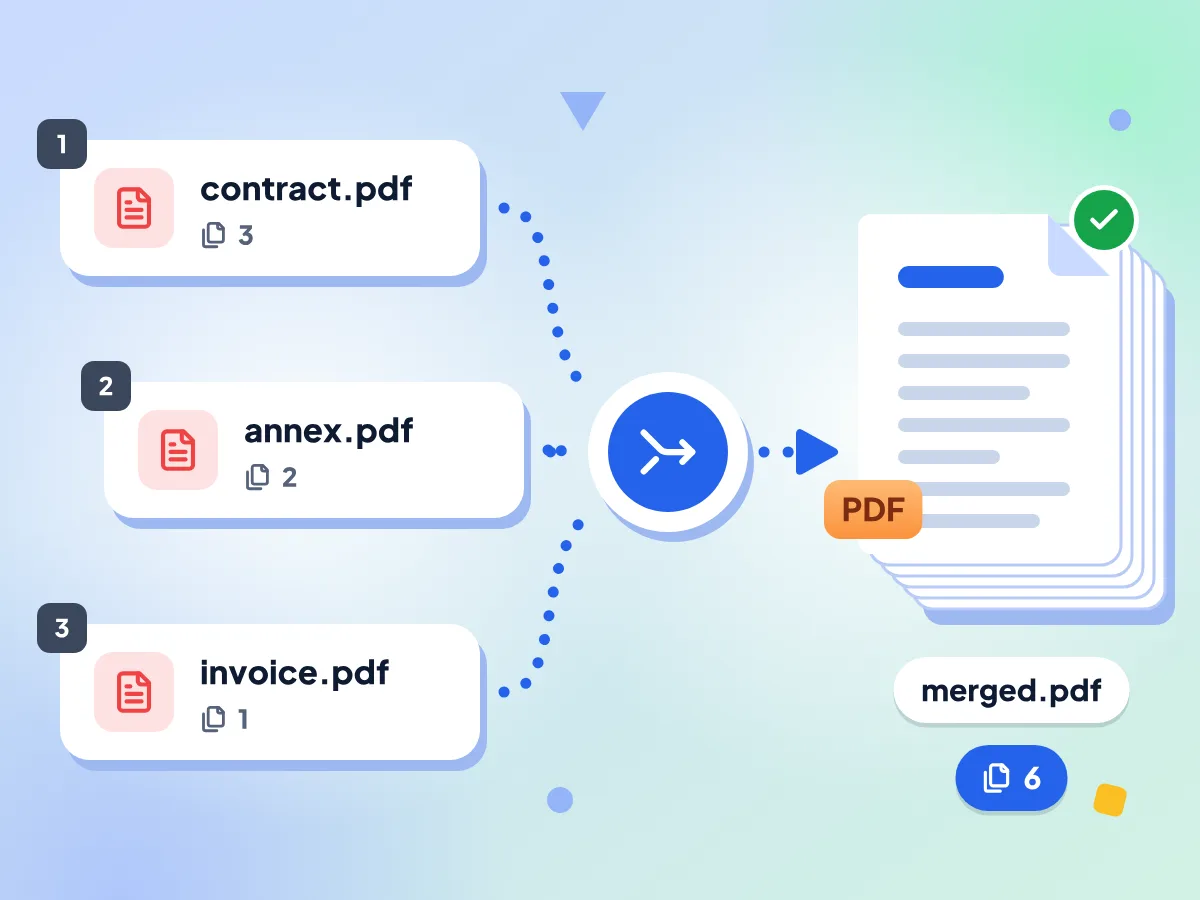
Add two or more PDFs and merge them into a single file. Every page of every file is kept, in the order shown in your list, and the result saves as merged.pdf.
- Merge 2 or more PDFs at once
- Every page of every file kept
- Downloads as one file: merged.pdf
Reorder PDF Files Before Merging
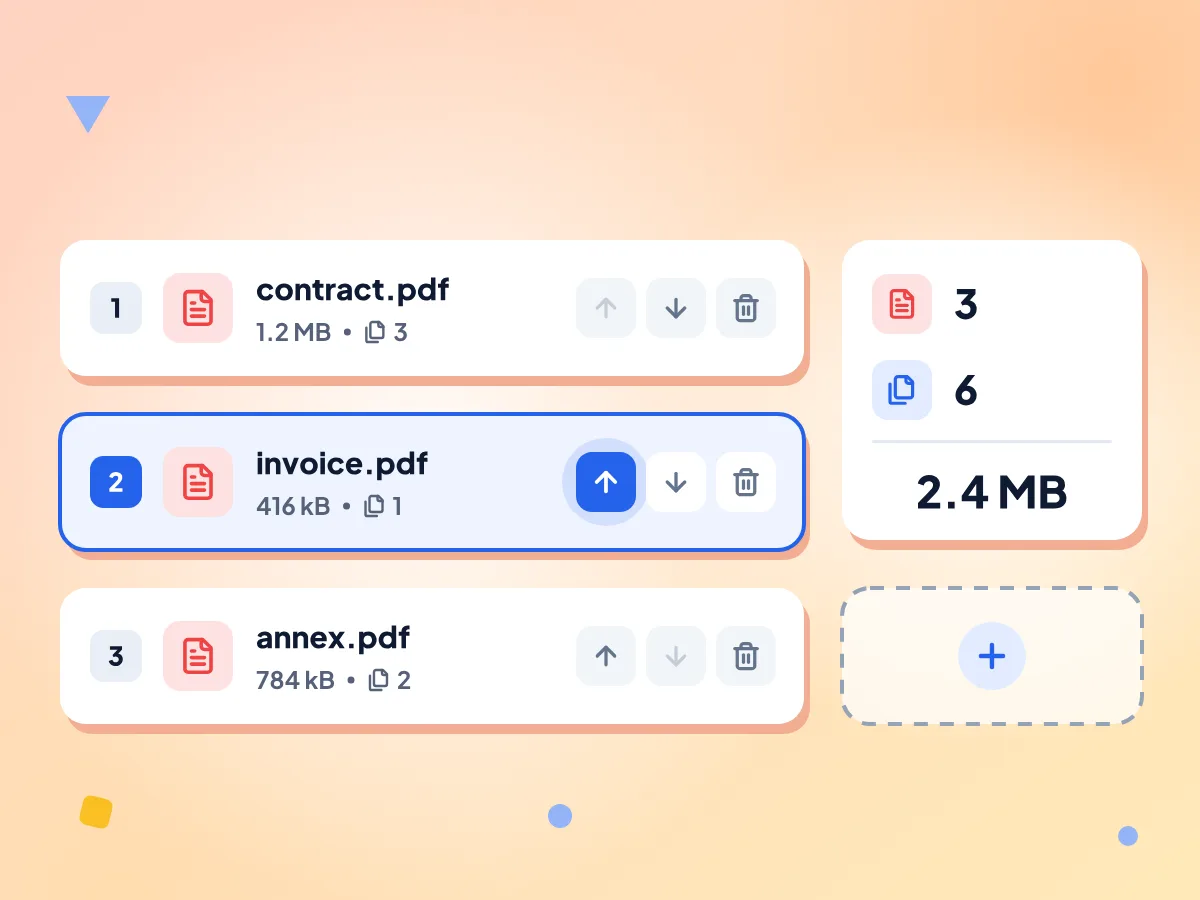
Each file shows as a numbered row with its name, size and page count. Use the up and down arrows to change the order, or remove a file you don't need.
- Up and down arrows on every file
- Page count and size for each PDF
- Add more PDFs at any time
No File Limit or Sign-Up
There's no cap on file size or the number of PDFs, no account and no watermark. Very large files depend on your device's memory, so an older phone may struggle.
Pages Stay Sharp and Searchable
Pages are copied into the new file as they are, not redrawn as images. Text stays selectable and searchable, and each page keeps its original size.
Web Links Kept, Bookmarks Dropped
Clickable web links still work in the merged PDF. Bookmarks are not copied, links that jump to another page stop working, and form fields may no longer be fillable.
Your PDFs Stay on Your Device
Merging happens in this browser tab and the combined file saves straight to your downloads. We only count basic usage, such as how many files you merged, never what's inside them.
How to Merge PDFs in 3 Easy Steps
Add your PDF files.
Drop two or more PDFs on the page, or click to choose them from your computer or phone. You can add more files later.
Set the order.
Use the up and down arrows next to each file until the list is in the order you want. Remove any file you don't need.
Merge and download.
Click Merge PDFs, then Download to save one combined file named merged.pdf. If you change the order afterwards, merge again before you download.
Popular Ways to Use a PDF Merger
Common jobs where one combined PDF is easier to send, upload or print than a stack of separate files.
Contracts, Proposals and Invoices
Send a client one PDF instead of five attachments. Put the contract first, add the annexes after it, and merge them into a single file in the order you set.
- Merge client contracts with legal annexes
- Combine a month of invoices into one PDF
- Attach supporting documents to a business proposal
School and Research Work
Join thesis chapters, appendices and reference papers into one file for submission or review. Each chapter's pages stay selectable, so you can still search the merged PDF.
- Merge separate thesis chapters into one final file
- Add appendices after the main paper in one PDF
- Combine downloaded journal articles to read in one place
Applications and Personal Paperwork
Visa, mortgage and job applications often ask for one PDF. Merge scanned IDs, forms and certificates into a single file. If it's over the portal's size limit, shrink it with the PDF Compressor.
- Combine front and back scans of an ID card
- Bundle an application form with its reference letters
- Merge medical records for an insurance claim
Frequently Asked Questions: PDF Merger
Answers about merging PDF files: order, limits, links, bookmarks and locked files.
How do I merge PDF files into one?
Drop two or more PDFs on this page, or click to choose them. Put them in order with the up and down arrows, then click Merge PDFs. Click Download to save the combined file as merged.pdf. It's free, with no sign-up.
How do I change the order of PDFs before merging?
Each file has up and down arrows on its row. Click them to move the file until the list matches the order you want. The merged PDF follows the list from top to bottom. Dragging rows isn't supported, so use the arrows.
Can I reorder, rotate or delete individual pages while merging?
No. The merger works with whole files and copies every page of each one. To use only some pages, pull them out with the PDF Splitter first. To delete or turn pages, use the PDF Page Remover or PDF Rotator, then merge the edited copies here.
Does merging PDFs reduce quality?
No. Pages are copied into the new file as they are, not converted to images, so text, images and vector graphics look the same and text stays selectable. Images aren't recompressed and pages keep their size.
Does merging PDFs keep bookmarks, links and form fields?
It keeps web links, but not bookmarks or page-to-page links. The merged PDF has no bookmark panel, and a link that jumps to another page stops working. Form fields keep their typed values but may no longer be fillable, so fill forms before you merge.
Can I merge password-protected PDFs?
Not as they are. A locked or print-restricted PDF is added without an error, but its pages come out blank or unreadable in the merged file. Remove the protection first with our PDF password remover (you'll need the password if the file asks for one), then merge the new copy.
Can I merge Word files or images with PDFs?
No, the merger only accepts PDF files. Turn photos and scans into a PDF first with Image to PDF, then add that file to your list. Word and other documents need to be saved as PDF in their own app first.
Is there a limit on how many PDFs I can merge?
No. There is no cap on the number of files, their size or page count, and no daily limit or account. Every file is held in your device's memory while you merge, so very large batches can fail on a phone or older laptop.
Is it safe to merge confidential PDFs online?
Yes. Your PDFs are opened and merged inside this browser tab, and the combined file goes straight to your downloads. We collect simple usage numbers, like how many files you merged and a rough size range, but never file names or what your documents say.
How do I merge PDF files on my phone?
Open this page in your phone's browser, tap to choose PDFs from your files, and follow the same steps: set the order, tap Merge PDFs, then Download. There's no app to install. Very large files can be slow on older phones.
Why is the Merge PDFs button greyed out?
The button needs at least two files in the list. If you added only one PDF, use the Add more PDFs box to add another. The button is also disabled while a merge is running.
Explore More Tools
Discover other free tools that work great alongside this one
PDF Compressor
Reduce PDF file size directly in your browser
Image Compressor
Reduce file size without losing quality
Image Converter
Convert between 30+ image formats
QR Code Generator
Make free QR codes in your colors
Image Resizer
Resize images to exact dimensions
Color Converter
Convert HEX, RGB and HSL color codes as you type