

Free Audio Merger
Merge audio files into one track for free. Add MP3, WAV, OGG or AAC clips, set the order, add a gap or crossfade, and save one WAV file. Your files stay on your device.
Drop your audio files here
or click to browse. MP3, WAV, OGG or AAC, several files at once
Merge Audio Files Right in Your Browser
Join songs, podcast segments and voice recordings in the order you choose, add a gap or crossfade, and save the result as one WAV file.
Merge Audio Files Into One Track
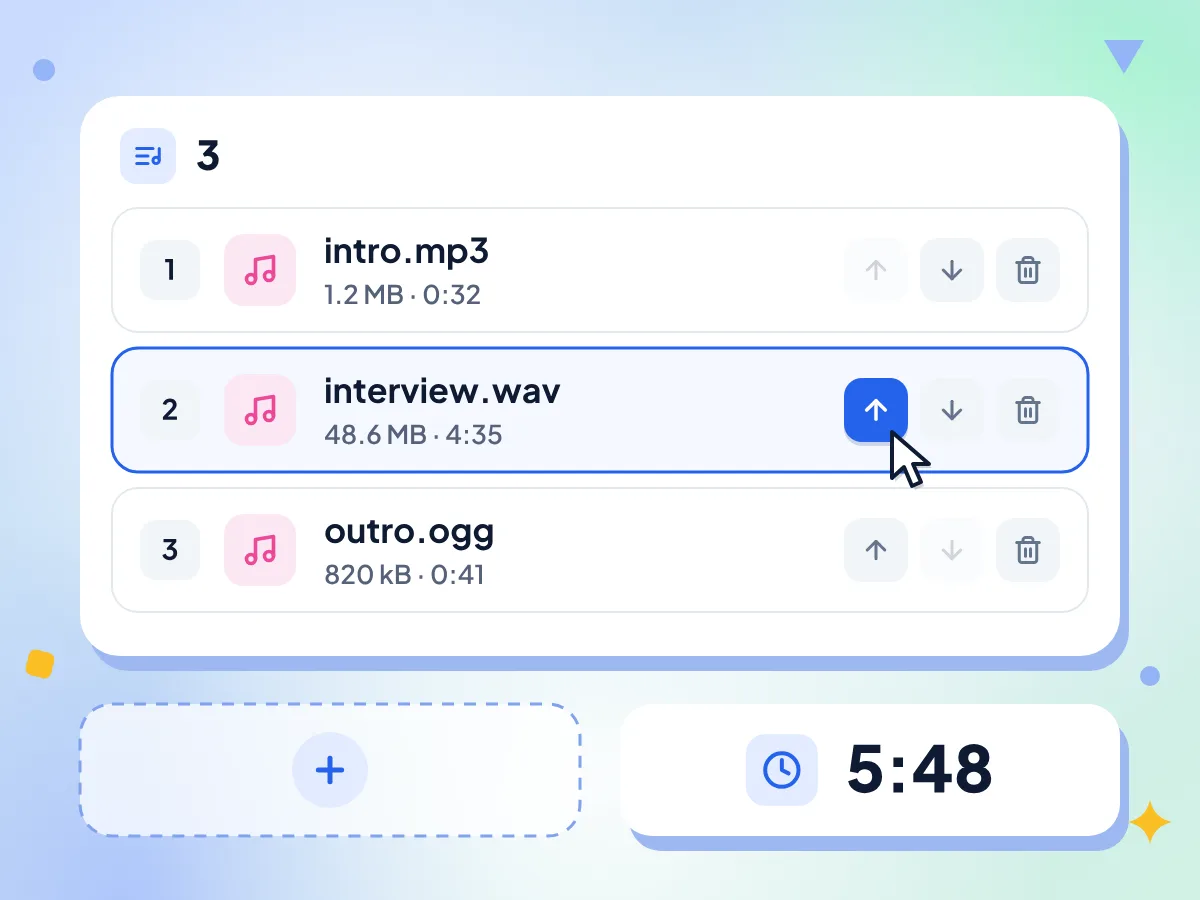
Add as many MP3, WAV, OGG or AAC files as you need, then put them in order with the up and down arrows. Each row shows the file name, size and length.
- Name, size and length for every track
- Move up, move down or remove
- Add more files from the editor
Add a Gap or Crossfade Between Clips
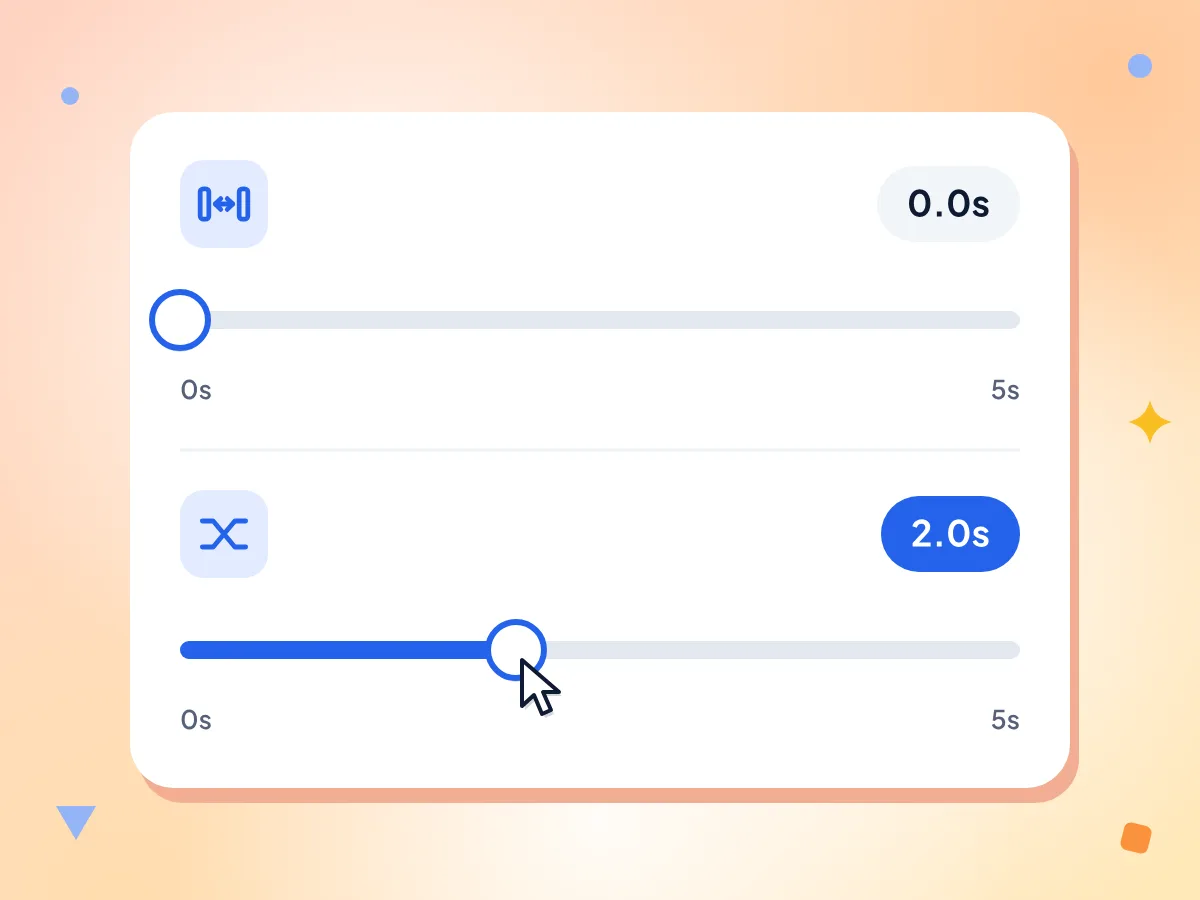
Insert up to 5 seconds of silence between clips, or crossfade them so one fades out while the next fades in. Both sliders move in 0.1-second steps and start at zero.
- Gap slider from 0 to 5 seconds
- Crossfade slider from 0 to 5 seconds
- Zero gap joins clips back to back
Mix Formats in One Merge
Drop an MP3 next to a WAV or OGG file. Every clip is decoded to raw audio first, so different formats, sample rates, and mono or stereo files join into one track.
Preview Before You Download
Click Merge Audio and a player appears with the size and length of the new track. After any change to the order or settings, click Merge Audio again to refresh it.
Uncompressed WAV Output
The merged track saves as merged.wav, a 16-bit WAV file that adds no new compression. Need a smaller file? Run it through the WAV to MP3 converter after you download.
Your Audio Stays on Your Device
Decoding, joining and saving all happen in this browser tab. Anonymous usage stats such as the track count and a rough size range are sent, but never your audio or file names.
How to Merge Audio Files in 3 Steps
Add your audio files.
Drop two or more MP3, WAV, OGG or AAC files on the box, or click to choose them. The editor lists every file with its length.
Set the order and joins.
Use the arrows to move tracks up or down, remove any you don't need, and set a gap or crossfade with the sliders.
Merge and download.
Click Merge Audio, play the result in the preview, then click Download to save merged.wav to your device.
When to Combine Audio Files
Podcasters, students, musicians and anyone with a folder of short recordings that should play as one file.
Podcasts & Voice Recordings
Join an intro, the recorded segments and an outro into one episode file. A short gap gives listeners a natural pause between parts, and no audio editing app is needed.
- Put intro music in front of a recorded interview
- Join several MP3 or WAV voice notes into one file
- Combine voiceover takes for a course or slideshow
Music & Song Mixes
Line up songs for a workout, a party or a slideshow and crossfade them so the music never stops. Keep the gap at zero for an album that plays straight through.
- Crossfade songs into one continuous party mix
- Build one track for a dance or gym routine
- Join live recordings of one gig in setlist order
Audiobooks & Lectures
Combine chapter files or lecture parts into one long recording that plays from start to finish without picking the next file. The total length shows before you merge.
- Join audiobook chapter MP3s into one file
- Combine a lecture recorded in several parts
- Merge language lessons into one study track
Frequently Asked Questions
Common questions about merging audio files online.
How do I merge audio files into one?
Drop your audio files on this page and put them in order with the arrow buttons. Choose a gap or crossfade if you want one, click Merge Audio and check the preview. Then click Download to save one WAV file.
Which audio formats can I combine?
You can combine MP3, WAV, OGG and AAC files and mix them in the same merge, as long as your browser can play each type. Each clip is decoded to raw audio before joining, so different sample rates and mono or stereo files line up. The result is always a WAV file.
Why won't my M4A or FLAC file upload?
This merger only takes MP3, WAV, OGG and AAC files for now, and iPhone Voice Memos are saved as M4A. Convert the file to MP3 or WAV first with the Audio Trimmer, which opens M4A and FLAC files, then add the converted copy here.
Can I save the merged audio as an MP3?
Not directly. The merger saves one 16-bit WAV file named merged.wav. For a smaller file to share or upload, open it in the WAV to MP3 converter afterwards. Stereo WAV takes roughly 10 to 12 MB for every minute of sound.
Does merging audio files reduce quality?
Joining adds no new compression, because the result is saved as uncompressed 16-bit WAV. Clips are resampled to your browser's audio rate, usually 44.1 or 48 kHz, and 24-bit sources drop to 16-bit. Crossfades blend the overlapping sound on purpose.
Can I join audio clips without a gap?
Yes. The gap starts at 0 seconds, so clips play back to back with no added silence. Move the Gap between tracks slider to insert a pause of up to 5 seconds, in 0.1-second steps, between every pair of clips.
How does the crossfade between tracks work?
Set the Crossfade slider between 0 and 5 seconds. The end of each clip fades out while the next fades in, and the two overlap, so every join shortens the track by that amount. It can't be longer than your shortest clip. With a gap also set, the silence shrinks by the crossfade length.
Can I rearrange or remove clips before merging?
Yes. Every row in the track list has up and down arrows and a trash button, and the list numbers each track and shows its length. Use Add more audio files in the side panel to put extra clips at the end.
Can I layer two audio files so they play at the same time?
No. The merger places clips one after another on a single track, and the only overlap is the short crossfade at each join. Putting a voice over background music needs a multitrack editor that mixes layers.
Can I merge audio files on my phone?
It should work in a phone browser such as Chrome or Safari, with no app to install, as long as the clips are MP3, WAV, OGG or AAC files. Recordings saved as M4A have to be converted first, as described in the M4A question above.
Is there a limit on how many files I can merge?
No count, size or daily limit is set, and you don't need an account. Every clip is held in memory while it merges, though, so several hours of audio can slow down or crash a phone tab. Split very long projects into smaller merges.
Are my recordings sent anywhere when I merge them?
No. Your clips are decoded, joined and saved as a WAV inside this browser tab. The page does report anonymous usage stats, like how many tracks you merged and the gap and crossfade values, but never the audio or file names.
Explore More Tools
Discover other free tools that work great alongside this one
Audio Trimmer
Cut and trim audio files directly in your browser
Audio Converter
Convert audio files to any format
MP3 to WAV
Convert MP3 to lossless WAV format
WAV to MP3
Convert WAV to compressed MP3 format
Video Trimmer
Trim and cut video clips in browser
MP4 to MP3
Extract audio from video files