

Free Favicon Generator
This free favicon generator turns one JPG, PNG, WebP or SVG into favicon.ico, an Apple touch icon and PNG icons from 16×16 to 512×512. Your image stays on your device.
Drop your image here
Or click to browse. JPG, PNG, WebP or SVG
Who Uses the Favicon Generator
Any developer or designer launching a website and needing a complete favicon package.
Website Launches
Add a favicon before launch day. Upload your logo, put the files in the root folder of your site, and paste the HTML snippet into the head of each page.
- A favicon.ico for browser tabs and bookmarks
- Seven link tags ready to paste into your page head
- File paths in the snippet that match the ZIP file names
PWA & App Icons
Get the icon sizes a web app needs. Add icon-192x192.png and icon-512x512.png to your manifest, and apple-touch-icon.png covers iPhone home screens.
- 192 and 512 pixel PNGs for your web app manifest
- A 180×180 Apple touch icon for iOS home screens
- A 512×512 PNG for a site icon
Brand Refresh
New logo? Make a fresh favicon set from the new file and replace the old files. The file names stay the same, so the tags already on your site keep working.
- Rebuild every size from your updated SVG logo
- Swap in a new favicon.ico under the same name
- Try white, black or transparent behind the new mark
What This Favicon Generator Makes
One image in, one favicons.zip out: favicon.ico, 7 PNG sizes and an HTML snippet. Pick a transparent or solid background first.
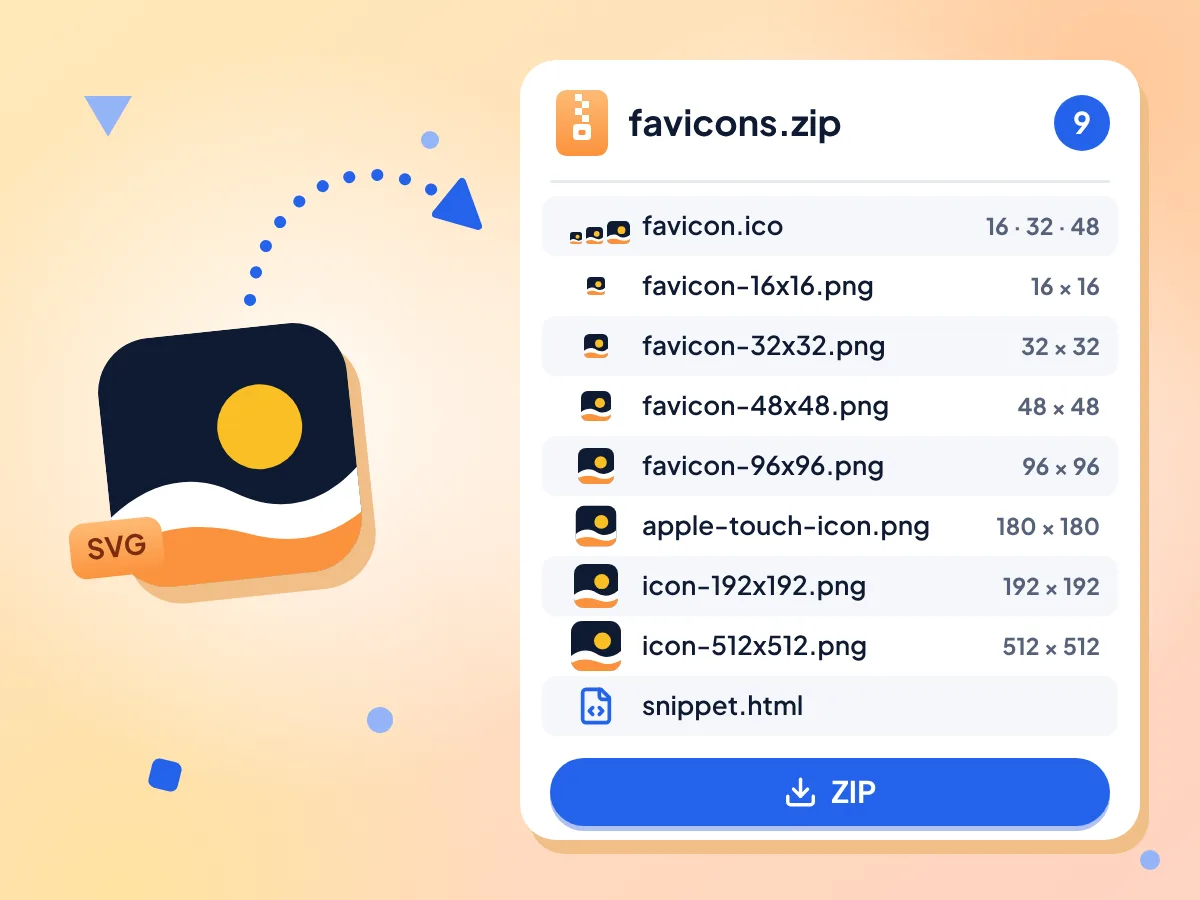
Favicon.ico and PNGs From One Image
Upload one logo and get favicon.ico with 16, 32 and 48 px sizes inside, plus seven PNG files from 16×16 to 512×512. Every file lands in a single favicons.zip.
- favicon.ico holds 16, 32 and 48 px
- 7 PNG icons from 16×16 to 512×512
- 9 files saved in one favicons.zip
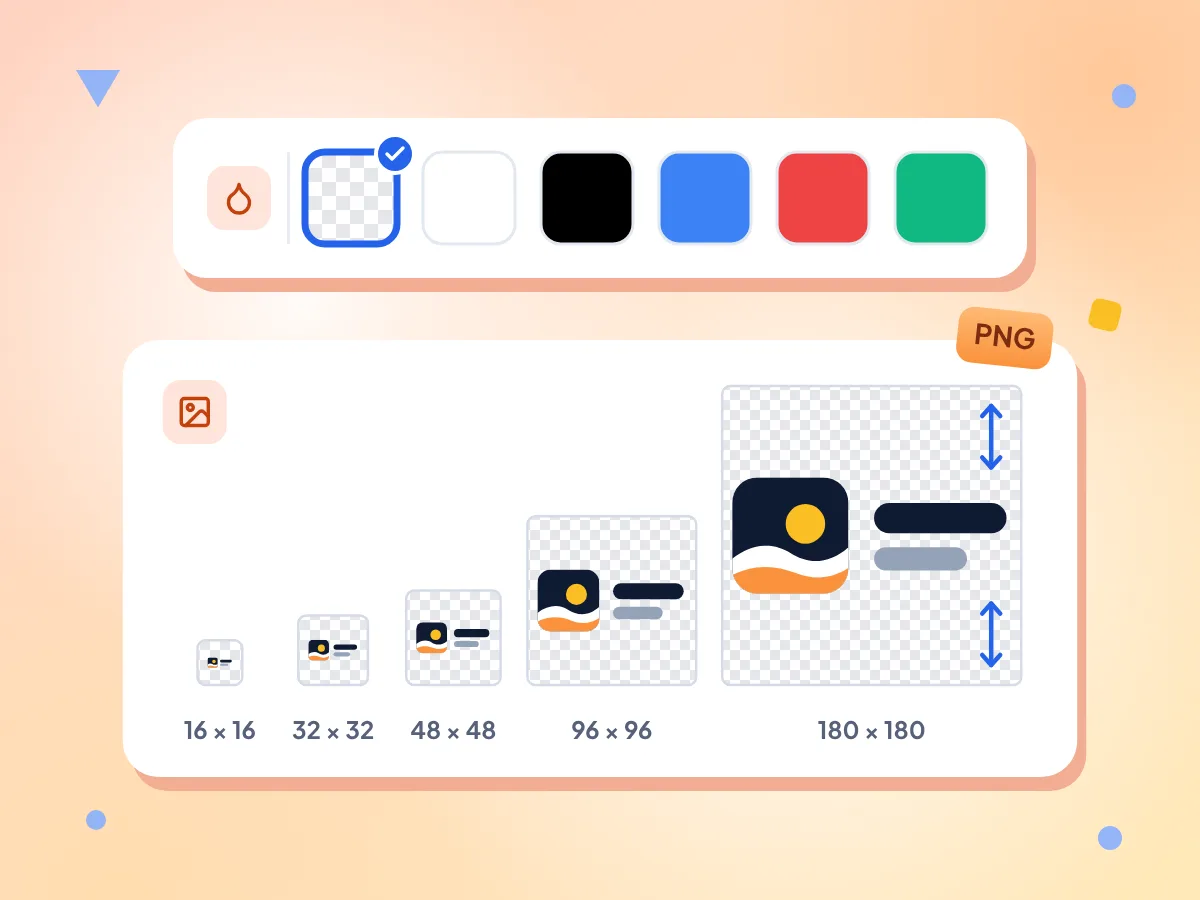
Transparent or Solid Favicon Background
Keep the background transparent, or fill it with white, black, blue, red or green. A logo that is not square gets centered and fitted inside the square, never cropped.
- Transparent background by default
- Five solid colors to choose from
- Wide logos are centered, not cropped
Apple Touch and PWA Icons
The ZIP includes apple-touch-icon.png at 180×180 for iPhone and iPad home screens, plus icon-192x192.png and icon-512x512.png for Android and web app manifests.
Copy-Ready HTML Snippet
Click Copy HTML to grab seven link tags for the head of your page. The same tags are saved as snippet.html in the ZIP and point to files in your site root.
SVG Logos Work Too
Upload an SVG logo, or a PNG, JPG or WebP file. For the sharpest 512×512 icon, start with a square image at least 512 pixels wide, or an SVG that has a width and height.
Free, No Sign-Up, No Watermark
Make as many favicon sets as you need with no account, no watermark and no daily limit. Your logo is resized in your browser, and the image is not sent to us.
How to Generate a Favicon in 3 Steps
Upload your logo.
Drop one JPG, PNG, WebP or SVG file on the box, or click to choose it. A square image at least 512 pixels wide gives the sharpest result.
Check the preview.
Every size is made at once. See the 16, 32, 48, 96 and 180 px icons at real size, then pick a transparent or solid background.
Download the ZIP.
Click Download ZIP to save favicons.zip. Put the files in the root folder of your site and paste the HTML snippet into the head of your pages.
Frequently Asked Questions
Answers about favicon sizes, file formats, backgrounds and adding icons to your site.
How do I create a favicon from an image?
Upload a JPG, PNG, WebP or SVG on this page and the favicon generator builds every size right away. Pick a background color if you want one, then click Download ZIP. You get favicon.ico, seven PNG icons and an HTML snippet in one file.
What size should a favicon be?
Most sites need 16×16 and 32×32 for browser tabs, 180×180 for Apple devices, and 192×192 plus 512×512 for Android and web apps. This tool makes all of those, adds 48×48 and 96×96, and packs 16, 32 and 48 into favicon.ico.
Is favicon.ico still required?
It is not strictly required, since current browsers show PNG favicons that a link tag points to. Many browsers and apps still request /favicon.ico from the site root by default, so keeping one avoids missing-icon errors in your logs. The ZIP includes a favicon.ico with 16, 32 and 48 px sizes.
Can I use a PNG file as a favicon?
Yes. Browsers show a PNG favicon when your page links to it with a rel="icon" tag. The ZIP has PNGs at 16, 32, 48, 96, 180, 192 and 512 pixels, and the snippet links six of them plus favicon.ico, so you can paste it as is.
How do I add a favicon to my website?
Unzip favicons.zip into the root folder of your site, next to your home page. Then paste the tags from snippet.html into the head section of every page. The tags use paths like /favicon.ico, so the files must sit at the root, not in a subfolder.
Do I need a different favicon for Apple devices?
Yes. iPhone and iPad use apple-touch-icon.png, a 180×180 icon, when someone adds your site to the home screen. This generator includes that file in the ZIP, and the snippet links it with rel="apple-touch-icon" so Safari finds it.
Can I make a favicon from an SVG?
Yes, if the SVG has a width and height set. Drop it on the page and it becomes favicon.ico and every PNG size. An SVG with only a viewBox may draw blank or squashed, so add the size first. Fonts and pictures linked inside the SVG may not load, so turn text into paths.
How do I make a favicon with no background?
Leave the background on Transparent, which is the default. A PNG or SVG with a see-through background keeps it in every size. A JPG has no transparency, so its own background stays; clear it first with the background remover, then save the result as a PNG.
What happens if my logo is not square?
The whole logo is scaled to fit inside the square and centered, so nothing is cut off or stretched. The empty bands on the top and bottom, or on the sides, stay transparent or take your background color. To fill the square instead, crop the logo first with the image cropper.
Does it make a web manifest for a PWA?
No. The ZIP holds the icon-192x192.png and icon-512x512.png files a manifest uses, but no site.webmanifest file. Add both to the icons list in your own manifest, with sizes 192x192 and 512x512 and the type image/png.
Why is my new favicon not showing?
Browsers cache favicons for a long time, so an old icon can stick around. Check that the files are in your site root, where the snippet paths point, and that the tags sit inside the head section. Then hard-refresh or open the page in a private window.
Is this favicon generator free and private?
Yes. It is free, with no sign-up, no watermark and no cap on how many sets you make. Your logo is resized inside your browser and the image itself is not sent to us. We do record anonymous usage stats, like the file type, a rough file size and the background you picked.
Explore More Tools
Discover other free tools that work great alongside this one
Image Compressor
Reduce file size without losing quality
Image Resizer
Resize images to exact dimensions
Image Converter
Convert between 30+ image formats
Image Cropper
Crop images freehand or to 1:1, 16:9 and other ratios
Background Remover
Remove image backgrounds and save a transparent PNG
SVG to PNG
Rasterize vector graphics to PNG