

Batch Remove EXIF Data from Many Photos for Free
Batch remove EXIF data from up to 50 JPG, PNG and WebP photos in one go, including GPS location, camera model and date taken. Download them all in one ZIP built on your device.
Drop images here
or click to browse: up to 50 JPG, PNG or WebP photos
Batch EXIF Removal for Up to 50 Photos
Set your options once, clean a whole folder and download one ZIP. Every file gets its own status, so failures are easy to spot and retry.
Batch Remove EXIF Data from 50 Photos
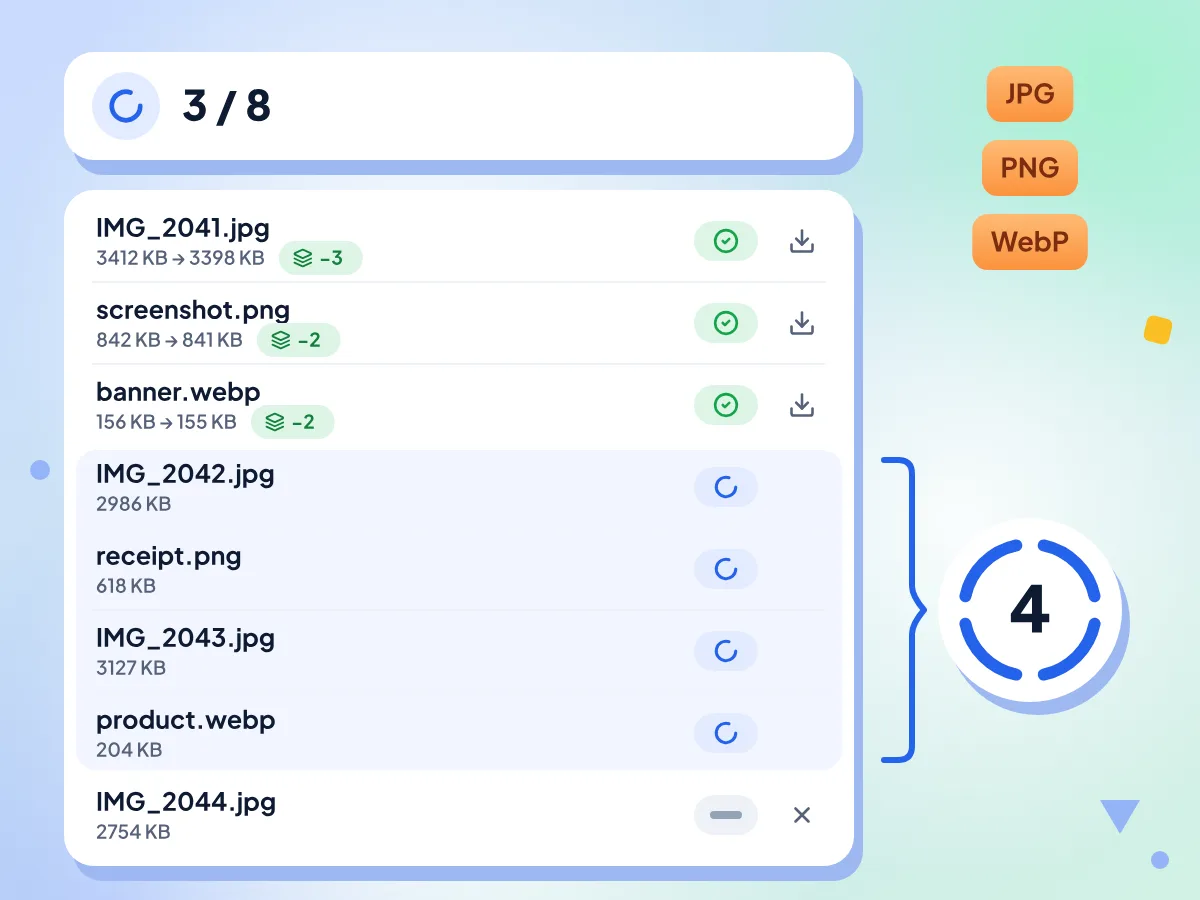
Drop up to 50 photos at once and click Strip All. Up to four files are cleaned at a time, and you can mix JPG, PNG and WebP in the same batch.
- Up to 50 files per batch
- JPG, PNG and WebP in one batch
- Up to four files cleaned at once
Download All Clean Photos in One ZIP
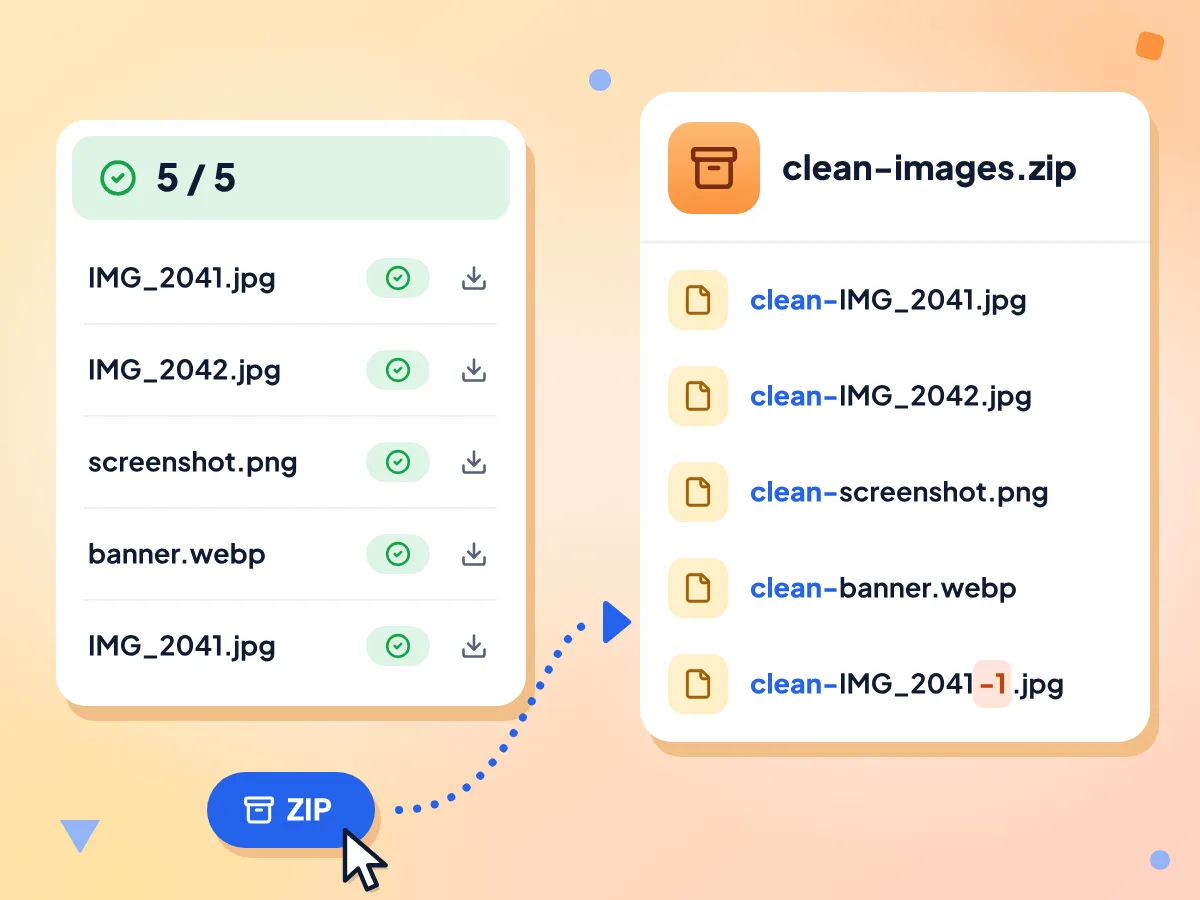
When the batch finishes, Download ZIP saves every cleaned photo in clean-images.zip. JPG, PNG and WebP files keep their format and are named clean- plus the original name.
- Saved as clean-images.zip
- Each file named clean- plus its name
- Repeated names get -1, -2 added
One Set of Options for All
Both options apply to every file. With Preserve orientation on, sideways JPGs are turned upright and re-saved at 95% quality. Other JPG, PNG and WebP files only lose their metadata, not picture data.
Follow Each File's Result
Every row shows a status badge, the size before and after, and a count of what was removed. A download icon on each finished row saves that one file.
Retry, Remove or Stop Files
Failed rows show what went wrong. Click Retry failed to run them again, remove any waiting or failed file with its X button, or click Abort to stop the files still waiting.
Photos Cleaned on Your Own Device
Your browser strips every file and builds the ZIP on this device, so the photos are not sent to us. Usage stats note the file count, options and timing, never names or pictures.
How to Batch Remove EXIF Data
Add your photos.
Drop up to 50 JPG, PNG or WebP files onto the box, or click to choose them. The editor opens with every file listed as Waiting.
Pick options and strip.
Leave Preserve orientation and Preserve color profile on, then click Strip All. Up to four files are cleaned at a time, and each row updates as it finishes.
Download the ZIP.
Click Download ZIP to save clean-images.zip, or use the icon on any row to save one file. Use Retry failed first if a row shows Failed.
When Do You Need Batch EXIF Removal?
Cleaning photos one at a time gets slow past a handful. These jobs need a whole set cleaned at once.
Delivering a Photo Shoot
Strip GPS and camera details from a full shoot before you send it to a client or post a gallery. Portrait JPGs stay upright with Preserve orientation on.
- Clean up to 50 shots from one event per batch
- Remove camera details and dates before sending to clients
- Hand over one ZIP instead of fifty separate files
Clearing Location from Phone Photos
Phone cameras tag each photo with where it was taken. Strip that GPS data from a whole album before you post it online. Motion photos can keep extra blocks, so spot-check one afterwards.
- Remove GPS tags from a full holiday album
- Clean listing photos taken at home in one pass
- Mix phone JPGs, PNG screenshots and WebP files in one batch
Preparing Images for Publishing
Before a set of images goes on a website or into a social media scheduler, remove date stamps, editing software tags and the text notes saved in PNG files.
- Remove AI prompt notes from a set of PNG files
- Strip editing software and author tags from exports
- For a single photo, use the one-file EXIF remover
Frequently Asked Questions
Answers about removing EXIF data from many photos at once.
How do I remove metadata from multiple photos at once?
Drop up to 50 photos on this page and click Strip All. Each file loses its EXIF, GPS and XMP data, and Download ZIP saves them all in clean-images.zip. Your originals are not changed, since every cleaned photo is a new copy. A few blocks can stay in JPGs, such as a motion photo's video.
How many photos can I clean in one batch?
Up to 50 per batch. If you drop more, only the first 50 are added and the rest are skipped without a warning, so split bigger folders into groups of 50. There is no daily cap, so you can run as many batches as you like.
Can I mix JPG, PNG and WebP files in one batch?
Yes. Each file is cleaned by the rules for its own format, and JPG, PNG and WebP files keep their format. TIFF files are accepted, but outside Safari they fail, and in Safari the result is JPEG data saved with a .tif name. HEIC photos are not accepted. Convert both to JPG first.
What is inside the ZIP file?
Every photo that finished, named clean- plus its original file name. JPG, PNG and WebP files keep their format. Two files with the same name get -1, -2 added before the extension. Failed and aborted files are left out of the ZIP.
Can I download the cleaned photos one at a time?
Yes. Each finished row has a download icon that saves that photo on its own, named clean- plus its file name. This saves you unzipping a whole archive when you only need a few photos.
What happens if some photos fail?
The batch keeps going. A failed row shows the error text and a Failed badge, and the summary counts the failures. Click Retry failed to run them again, or remove them with the X button. Common causes are a damaged file or a TIFF outside Safari.
Can I stop a batch partway through?
Yes, click Abort while it runs. Files already being cleaned finish, and the rest are marked Aborted. You can still download the finished ones as a ZIP. To clean the aborted files, go back and add them as a new batch.
Do the options apply to every photo in the batch?
Yes, one choice covers the whole batch. Preserve orientation turns sideways JPG photos upright and does nothing for other formats. Preserve color profile only changes PNG files today. JPG and WebP keep their profile either way, though a JPG turned upright may lose it.
Does batch EXIF removal lower photo quality?
No, for most files. The batch cuts the metadata out of each file and copies the picture data as it is. Only sideways JPG photos are re-saved, at 95% quality, and only when Preserve orientation is on.
Do I need an account or pay to use it?
No. The batch remover is free, needs no sign-up and has no daily limit. The only cap is 50 photos per batch, and the editor page shows an ad slot while you work.
Does the batch remover send my photos anywhere?
No. Each photo is read, cleaned and zipped by your browser on this device. Google Analytics usage stats record the file count, your two option settings, timing and the download type, but no file names, pictures or metadata.
How can I check that the metadata is gone?
Open a cleaned JPG or PNG in our image metadata viewer. The camera, date and GPS cards should be gone. Some blocks can stay in JPGs, such as the color profile, comments and a motion photo's video. The viewer can't open WebP yet.
Explore More Tools
Discover other free tools that work great alongside this one
Remove EXIF Data
Strip GPS, camera and date data from photos
EXIF Viewer
See camera, exposure and GPS data in a photo
Image Compressor
Reduce file size without losing quality
Background Remover
Remove image backgrounds and save a transparent PNG
Image Converter
Convert between 30+ image formats
Social Media Resizer
Resize images for Instagram, Twitter, and more