

Free Image Metadata Viewer for EXIF and GPS Data
Use this image metadata viewer to read the EXIF data in JPG, PNG and TIFF photos: camera, lens, exposure, date taken and GPS location. Your photo stays on your device.
Drop your image here
or click to browse: one JPG, PNG or TIFF photo
What the Image Metadata Viewer Shows
Camera, exposure, lens, date and GPS tags are sorted into cards. Copy any single value, or save every tag as a JSON file.
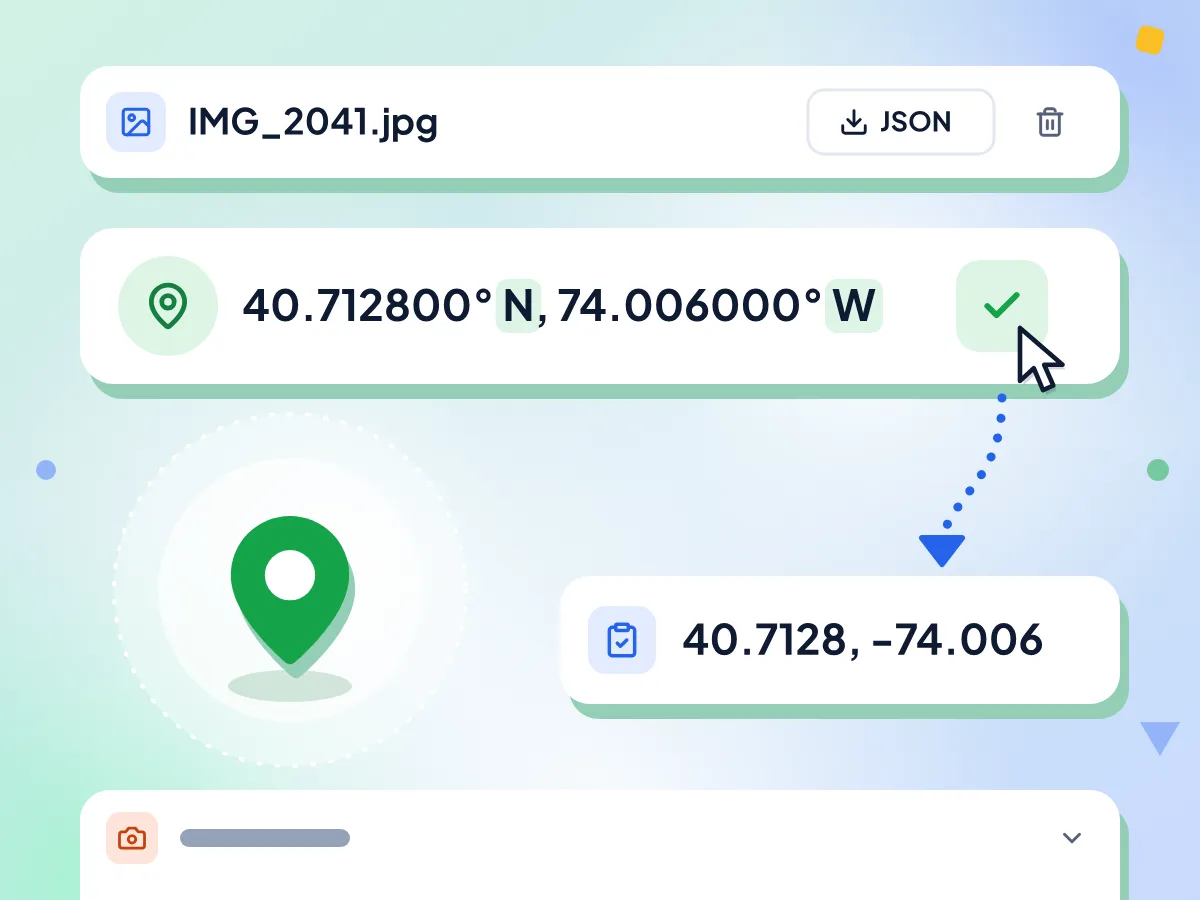
Check Photo Location from GPS Data
If the photo stores GPS tags, its latitude and longitude appear at the top in degrees with N, S, E or W. Copy them with one click and paste them into any map app.
- Latitude and longitude to six decimals
- N or S and E or W shown
- One click copies both coordinates
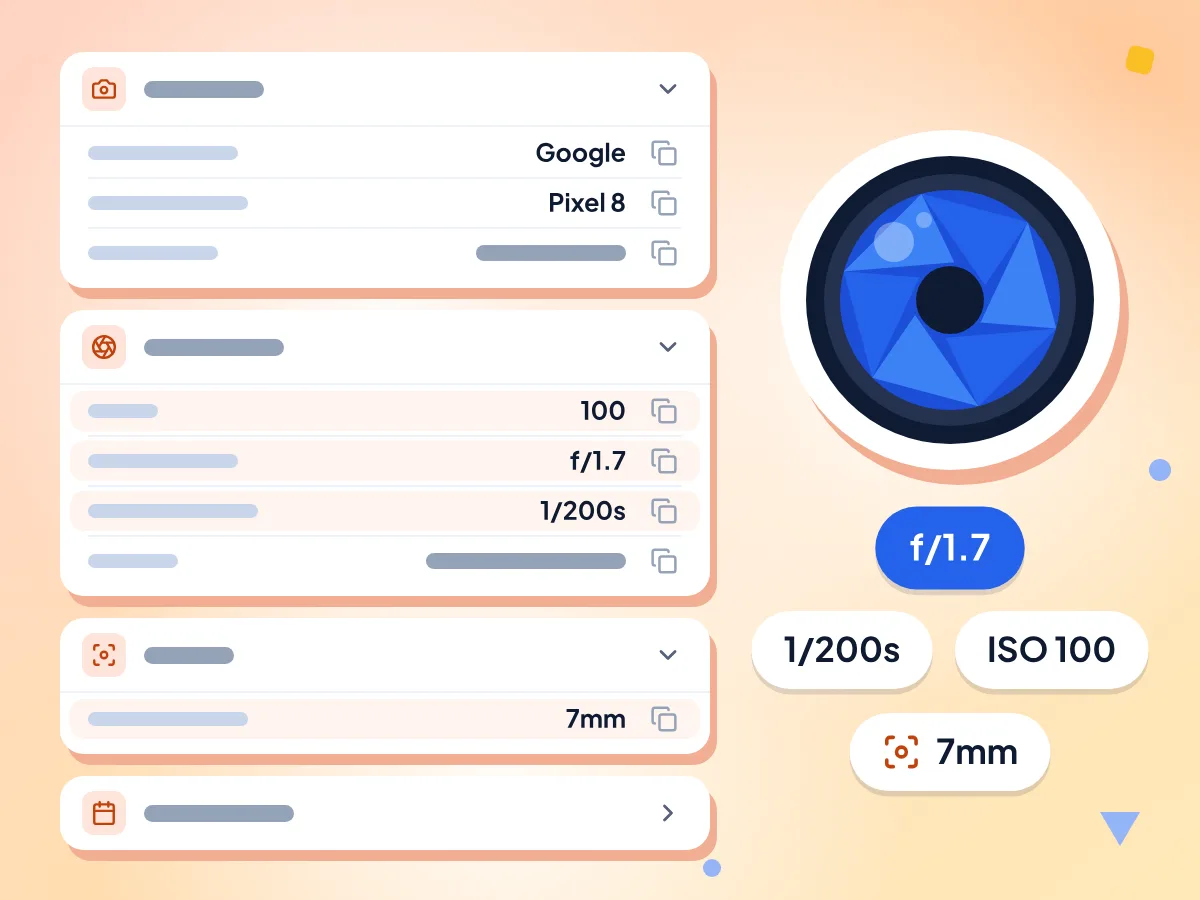
Read EXIF Camera and Exposure Settings
EXIF tags are grouped into Camera, Exposure, Lens and Date & Time cards. Shutter speed reads as 1/200s and aperture as f/1.7, so you can see how a shot was taken.
- Camera make, model and orientation
- ISO, aperture, shutter speed and flash
- Date taken, digitized and modified
Export Every Tag as JSON
Export as JSON saves every tag the viewer read, including GPS altitude and PNG text notes, in one file named after your photo, such as IMG_2041.jpg.exif.json.
Copy Any Single Value
Every row has its own Copy button. Grab a lens model, a date or a shutter speed and paste it into a caption, a spreadsheet or a bug report.
Reads JPG, PNG and TIFF Photos
JPG and TIFF photos hold the most camera data, and the viewer also has a HEIC reader. PNG files show their size, color type and text notes, like AI prompts. WebP is not supported yet.
Your Photo Stays on Your Device
The viewer reads the file in your browser and never changes it. Usage stats record timing and errors, never the photo or its tags. Show on map sends the coordinates to a map server.
How to View Image Metadata
Add your photo.
Drop one JPG, PNG or TIFF photo onto the box, or click to choose it. The viewer starts reading the tags right away.
Read the grouped tags.
Camera, exposure, lens and date details appear in cards, with GPS coordinates at the top when the photo has them. Tags without a card are listed under Other.
Copy, export or clean.
Copy any value, save every tag with Export as JSON, or open our EXIF remover to strip the data before you share the photo.
Who Uses an Image Metadata Viewer?
Photographers, careful sharers and developers each look for different tags. Here is what each group checks.
Photographers Checking Settings
See how a shot was made before you share or sell it. Compare ISO, aperture and shutter speed across frames, and confirm the date taken on client work.
- Compare ISO, aperture and shutter speed between two shots
- Confirm the date and time a photo was taken
- Find the lens model and focal length used
Checking a Photo Before Sharing
Find out if a photo gives away where you live or which phone you own. If the location shows up, clean the file with our EXIF remover before you send it.
- Spot GPS coordinates saved by your phone camera
- See the camera model and serial number a file carries
- Check a photo someone sent you for a location
Developers and AI Image Users
Debug a photo that shows up sideways by reading its orientation tag. Read the text notes inside PNG files, such as the prompt some AI image tools save.
- Read the orientation tag behind sideways photos
- Export raw tags as JSON for scripts and tests
- Find prompt text stored inside AI-generated PNG files
Frequently Asked Questions
Answers about reading EXIF data, photo location and other image metadata.
How do I view the EXIF data of a photo online?
Drop the photo on this page. The viewer reads its EXIF tags in your browser and lists them in cards for camera, exposure, lens and date, with GPS coordinates at the top if the photo has them. Use the original file, since edited or shared copies often lose tags.
Can I see where a photo was taken?
Yes, if the photo still has GPS tags. The viewer shows the latitude and longitude at the top of the results, to six decimal places. Click Copy next to the coordinates and paste them into a map app to see the spot. Without GPS tags, the file can't tell you where it was taken.
Why does my photo show no GPS location?
The camera did not save a location, or it was removed later. Phones only add GPS tags when the camera app has location access. Many apps and websites also remove location when a photo is sent or posted, and edited exports often drop it.
Which image formats can the viewer read?
JPG, HEIC and TIFF photos usually carry the most camera data. The viewer reads JPG and TIFF, and also accepts HEIC files from phones. PNG files work too and show their size, color type and any text notes. WebP files are not supported yet and show an error.
Does a screenshot have metadata?
Usually very little. Screenshots hold no camera settings or GPS location, so a JPG screenshot often shows No metadata found. A PNG screenshot still lists its width, height, bit depth and color type, and may carry a few text notes.
Can I see the prompt saved in an AI-generated PNG?
Often, yes. Some AI image tools save the prompt and settings as text notes inside the PNG. The viewer lists each note under Other by its name, such as parameters. Long notes are cut off on screen, so use Copy or Export as JSON for the full text.
What does Export as JSON save?
It saves every tag the viewer read in a JSON file named after your photo, such as IMG_2041.jpg.exif.json. The file also holds raw values the cards leave out, like GPS altitude and speed, so you can use them in scripts or a spreadsheet.
Does the viewer show XMP, IPTC or color profile data?
Not today. The viewer reads the EXIF, GPS and TIFF tags, plus text notes in PNG files. XMP fields such as author or keywords, IPTC captions and the embedded color profile are not shown, even when the file has them.
Why are some tags listed under Other?
Other holds every tag that has no card of its own, under its raw EXIF name. Lens model, camera serial number, the pixel size stored by phone JPGs and PNG text notes often show up there.
Does viewing EXIF data change my photo?
No. The viewer only reads the file and never writes to it, so your original stays exactly as it was. The only new file it can create is the optional JSON export, and only when you click Export as JSON.
Does the viewer send my photo anywhere?
No. Your browser reads the tags from the file on your device. Usage stats sent to Google Analytics note that a file was read, how long it took and any error, never the photo, its name or its tags. Show on map sends the coordinates, and your IP address, to a map server.
How do I remove the metadata I found?
Use our EXIF remover for one photo, or the batch EXIF remover for up to 50 at once. Both take JPG, PNG and WebP photos; for an iPhone HEIC photo, convert it to JPG first. Then open the clean copy here again to see what is left.
Explore More Tools
Discover other free tools that work great alongside this one
Remove EXIF Data
Strip GPS, camera and date data from photos
Batch EXIF Remover
Remove metadata from up to 50 images at once
Image Compressor
Reduce file size without losing quality
Image Cropper
Crop images freehand or to 1:1, 16:9 and other ratios
Image Converter
Convert between 30+ image formats
Background Remover
Remove image backgrounds and save a transparent PNG