

Free Face Blur & Pixelate Tool Online
Automatically detect and conceal faces in photos with Gaussian blur, pixelation, or black censor bars. Complete client-side privacy.
Drop your photo here
JPG, PNG or WebP, up to 6000 x 6000 pixels and 50 MB
The first run downloads the face detector. Later runs on this page reuse it, and your photo stays on your device.
How This Face Blur Tool Hides Faces
Faces are found for you, then hidden with one of three styles. You download a full-size PNG, with no account and no watermark.
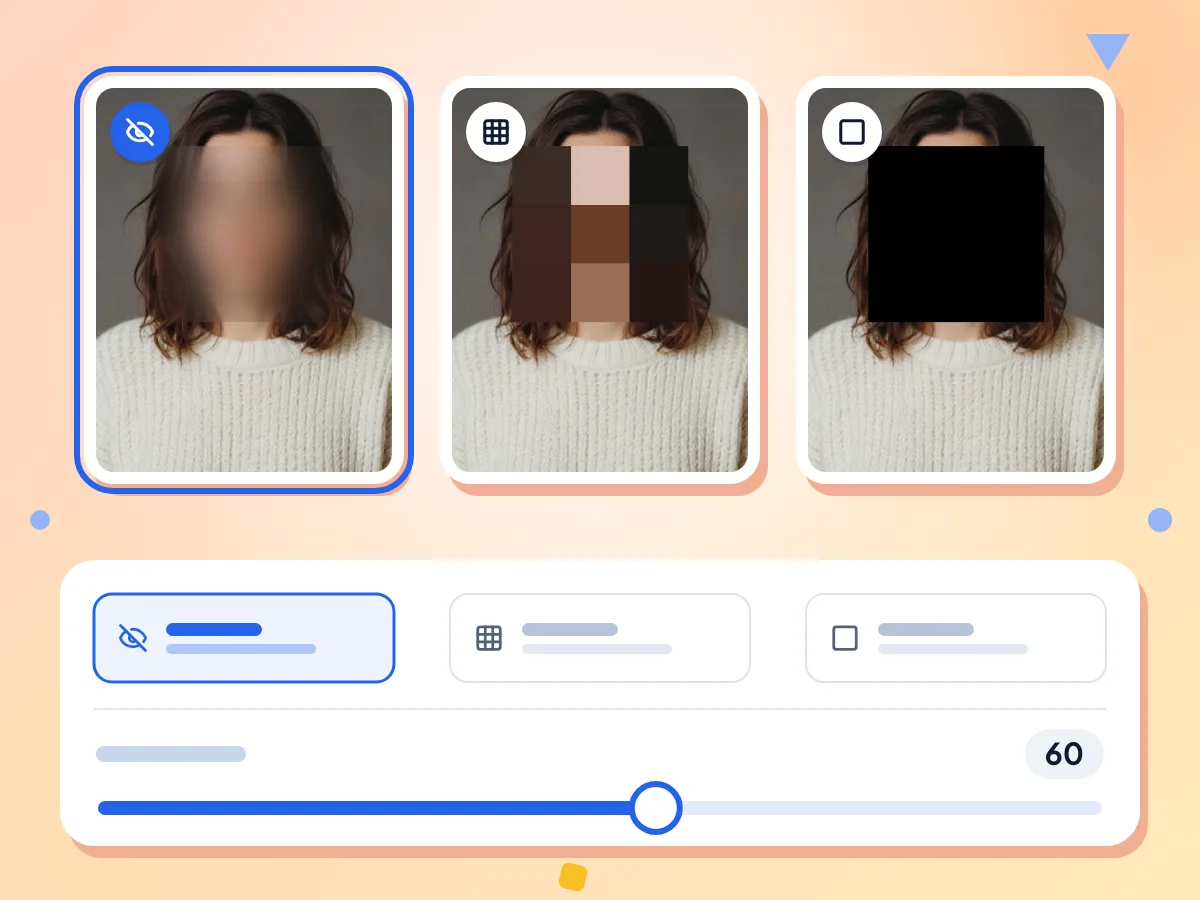
Blur, Pixelate or Black Out Faces
Pick Blur for a soft look, Pixelate for mosaic blocks, or Black Bar for a solid black box over each face. Blur and Pixelate have an intensity slider from 10 to 100.
- Starts on Blur at intensity 60
- Pixel blocks grow with the face size
- Black Bar covers the whole face
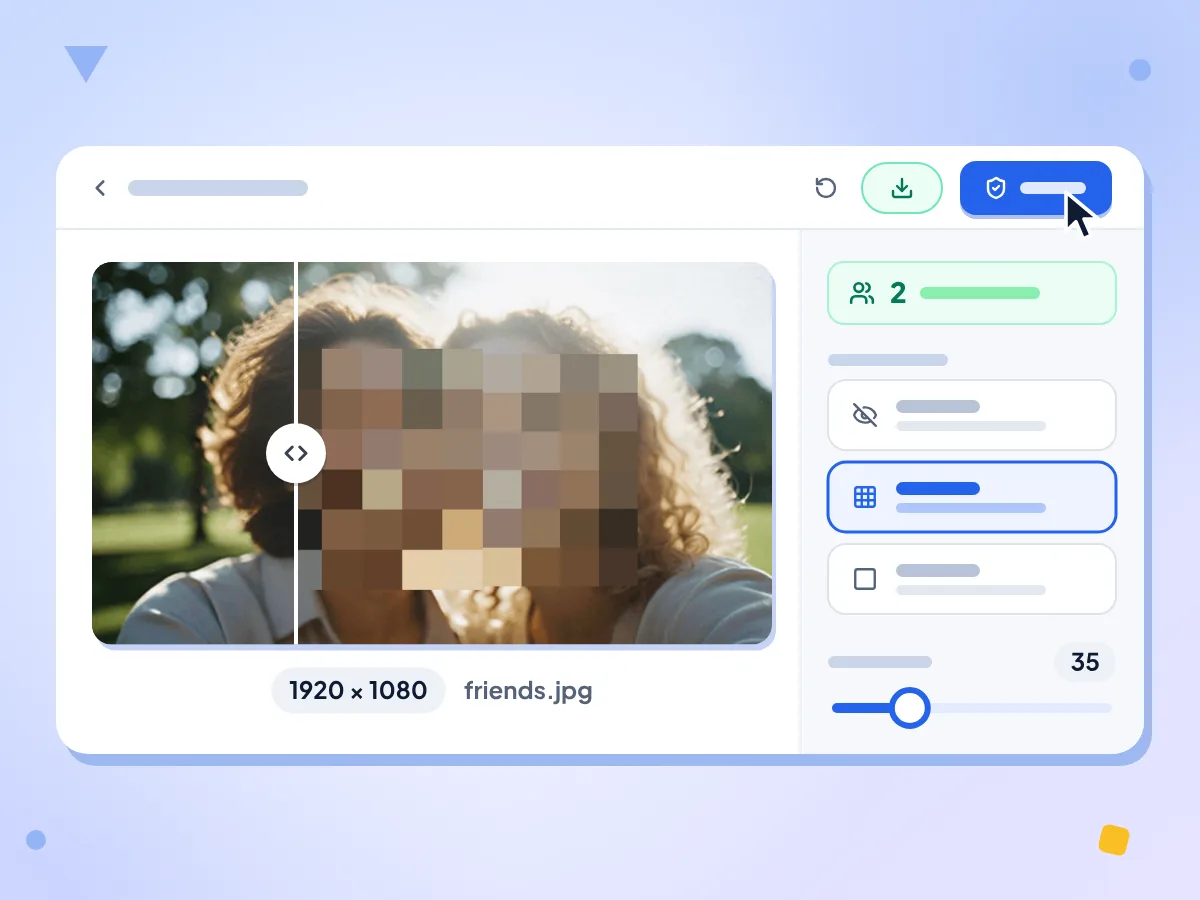
Blur Faces Automatically in One Click
Click Hide Faces and the face detector finds the faces, then hides them all in one pass. The panel shows how many faces were found, so you can check none were missed.
- Shows how many faces were found
- Each face box padded 20% for hair
- Before and after slider on the photo
Your Photo Stays on Your Device
Faces are found and hidden by your browser. The photo is never sent to us. The face detector downloads on first use. Usage stats note your style, intensity, timing and a rough file size.
Free, No Sign-Up, No Watermark
There is no account, no watermark and no daily cap. Each run takes one photo, and you can run the tool as many times as you like.
Full-Size PNG Download
The result keeps your photo's width and height and is saved as a PNG named after your file with -redacted added. Only the face areas change.
Compare Before and After
Drag the slider over the result to compare the original with the redacted photo. Change the style or intensity, click Re-run, and the same faces are hidden again.
How to Blur Faces in a Photo
Add your photo.
Drop one JPG, PNG or WebP file on the box, or click to choose it. It can be up to 6000 pixels on each side and 50 MB.
Pick a style.
Choose Blur, Pixelate or Black Bar. For Blur and Pixelate, set the intensity from 10 to 100, then click Hide Faces.
Check and download.
Use the before and after slider and the face count to make sure every face is covered. Then click Download to save the PNG.
When to Blur Faces in a Photo
Hide faces before a photo goes public, so the people in it cannot be identified.
Social Media Posts
Blur faces of strangers, friends or children before you post a group shot or street photo. The rest of the picture stays sharp, so you do not have to crop anyone out.
- Children's faces in school, party and sports photos
- Strangers in the background of travel and street shots
- Friends who asked not to be shown online
News, Research and Reports
Hide the identity of witnesses, protesters or study participants in a picture before it is published. Black Bar leaves a solid box that cannot be turned back into a face.
- Protest and event photos for articles or blogs
- Witness or source photos that need full redaction
- Research images where participants must stay anonymous
Work Documents and Slides
Hide faces in site photos or event pictures before they go into a slide deck, report or support ticket. The download is a new PNG, so your original file is not changed.
- Event photos for newsletters and internal slides
- Security camera stills shared in incident reports
- Site photos that show customers or passers-by
Frequently Asked Questions
Answers about blurring, pixelating and blacking out faces in photos.
How do I blur a face in a photo for free?
Drop the photo on this page, choose Blur and click Hide Faces. The tool finds the faces and blurs them for you. Check the result with the before and after slider, then click Download to save it as a PNG.
What is the difference between Blur, Pixelate and Black Bar?
Blur softens each face so its shape still shows; on large faces some detail can survive. Pixelate turns each face into square blocks that get bigger with the face. Black Bar covers the face with a solid black box and ignores the intensity setting.
Can a blurred face be unblurred?
Sometimes. Blur is capped at 50 pixels, so a large face in a big photo can stay recognizable, and small pixel blocks can leave detail too. For anything sensitive, use Black Bar: it replaces the face with solid black pixels in the saved PNG, so there is nothing to recover.
What does the intensity slider do?
Intensity runs from 10 to 100 and starts at 60. For Blur it sets the blur strength, which tops out at 50 pixels. For Pixelate it sets the block size, up to half the face box at 100. Black Bar does not use it.
Why were some faces in my photo not detected?
The detector finds faces most reliably when they are close to the camera and turned toward it. Small faces far in the background, side profiles and covered faces can be missed. Try cropping closer to the people with the image cropper, then run it again.
Can I blur only one face and leave the others visible?
Not with this tool today. It hides every face it finds in one pass, and there is no option to skip a face or add one by hand. Check the face count after each run to see how many faces were covered.
Which file types and sizes can I use?
You can add one JPG, PNG or WebP photo up to 50 MB and 6000 pixels on each side. HEIC, GIF and other formats are turned away, so convert those to JPG first. The download is always a PNG at the original size.
Why is the downloaded file bigger than my photo?
The result is saved as a PNG, which keeps every pixel exactly. A PNG of a camera photo is often several times larger than the JPG it came from. If you need a smaller file, run the PNG through the image compressor afterward.
Is my photo uploaded when I blur faces here?
No. Your browser finds and hides the faces, so the photo is not sent to PixConvert. The first run fetches the face detector from jsDelivr and Google storage. Anonymous usage stats record the style, intensity, timing and a size range, never the picture or its name.
Can I blur a face in a photo on iPhone or Android?
It is built for phone browsers too. Open this page, tap the box and pick a photo from your gallery. If the photo is refused, it may be HEIC or over 50 MB, so use a JPG. Very large photos can be slow on older phones.
Does the blurred photo still carry location data?
It should not. The result is a new PNG drawn from the pixels, not a copy of your original file. To be sure location data is gone, or to strip it from a photo without changing any pixels, use the remove EXIF data tool instead.
Explore More Tools
Discover other free tools that work great alongside this one
Background Remover
Remove image backgrounds and save a transparent PNG
Remove EXIF Data
Strip GPS, camera and date data from photos
AI Photo Enhancer
Sharpen soft photos and clean them up with AI
AI Image Denoiser
Remove noise and grain from photos with AI
Image Cropper
Crop images freehand or to 1:1, 16:9 and other ratios
Image Compressor
Reduce file size without losing quality