

Free GIF Maker
Use this free GIF maker to turn JPG, PNG or WebP images into an animated GIF. Put the frames in order, set the speed and loop, and download with no watermark or sign-up.
Drop your images here
or click to browse. Add several JPG, PNG or WebP images
Who Uses the GIF Maker
Anyone who wants to animate images without installing software.
Social Media & Reactions
Turn a few screenshots or photos into a short looping GIF for Discord, Reddit or a group chat. A delay of 100 to 200 ms keeps the motion quick.
- Reaction GIF from a handful of screenshots
- Looping meme made from three or four photos
- Short product loop for a social media post
Presentations & Demos
Show a before-and-after change or a step-by-step walkthrough in one GIF for slides, help pages and README files. A longer delay gives viewers time to read each frame.
- Before-and-after photo pair at 1000 ms per frame
- Software walkthrough built from a series of screenshots
- Chart that changes month by month, shown as a slideshow
Art & Creative Work
Animate drawings, pixel art and design sketches frame by frame. Export each frame as a PNG from your art app, then set the order and speed here.
- Pixel art walk cycle from separate PNG frames
- Short looping animation from hand-drawn sketches
- Try out animation timing with the delay slider
What You Can Do With This Free GIF Maker
Turn a set of photos, screenshots or drawings into one looping GIF. Choose the order, the speed, the loop and the size, then download it.
GIF Maker From Images, Frame by Frame
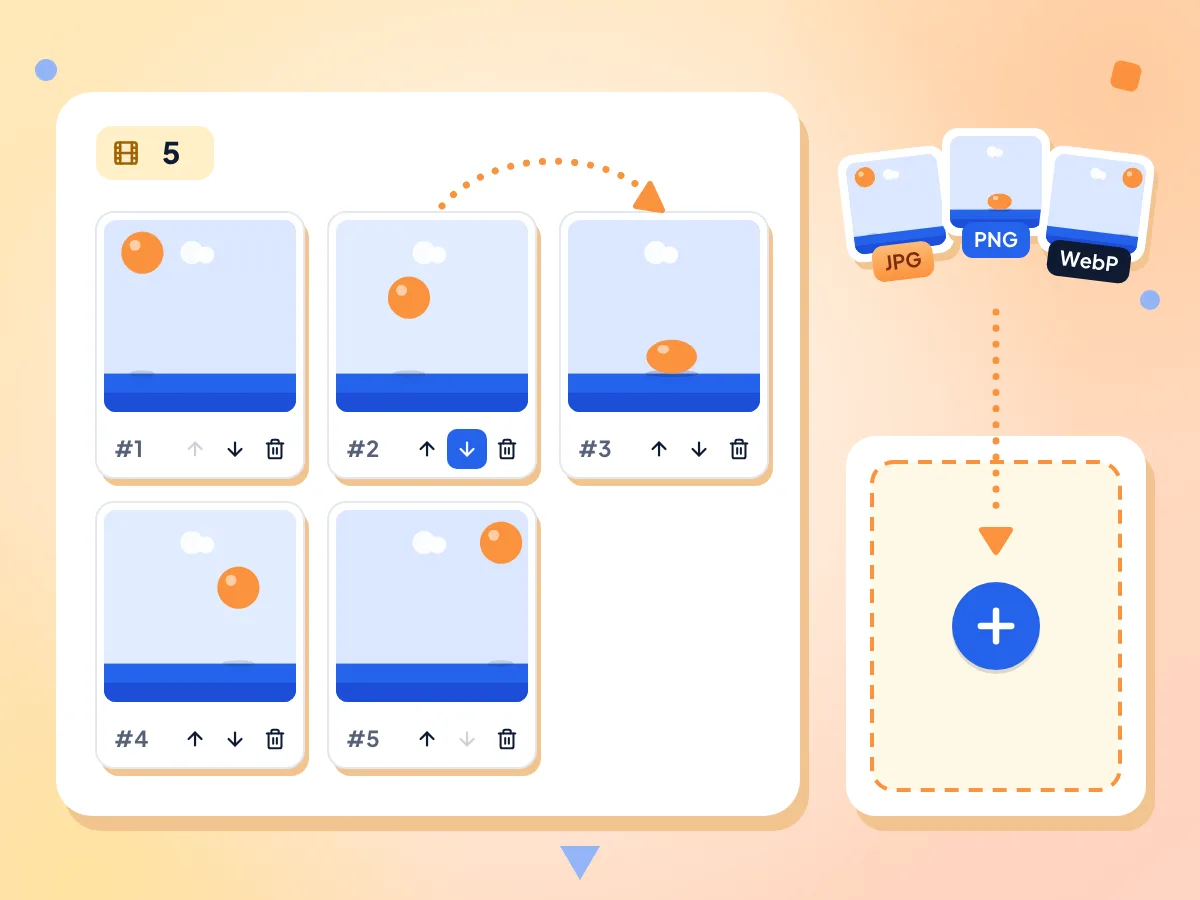
Add JPG, PNG or WebP images and each one becomes a frame. Move a frame left or right with its arrow buttons, delete the ones you don't want, or add more at any time.
- Each JPG, PNG or WebP is one frame
- Arrow buttons move frames left or right
- Add or remove frames before you export
Set GIF Speed and Loop Count
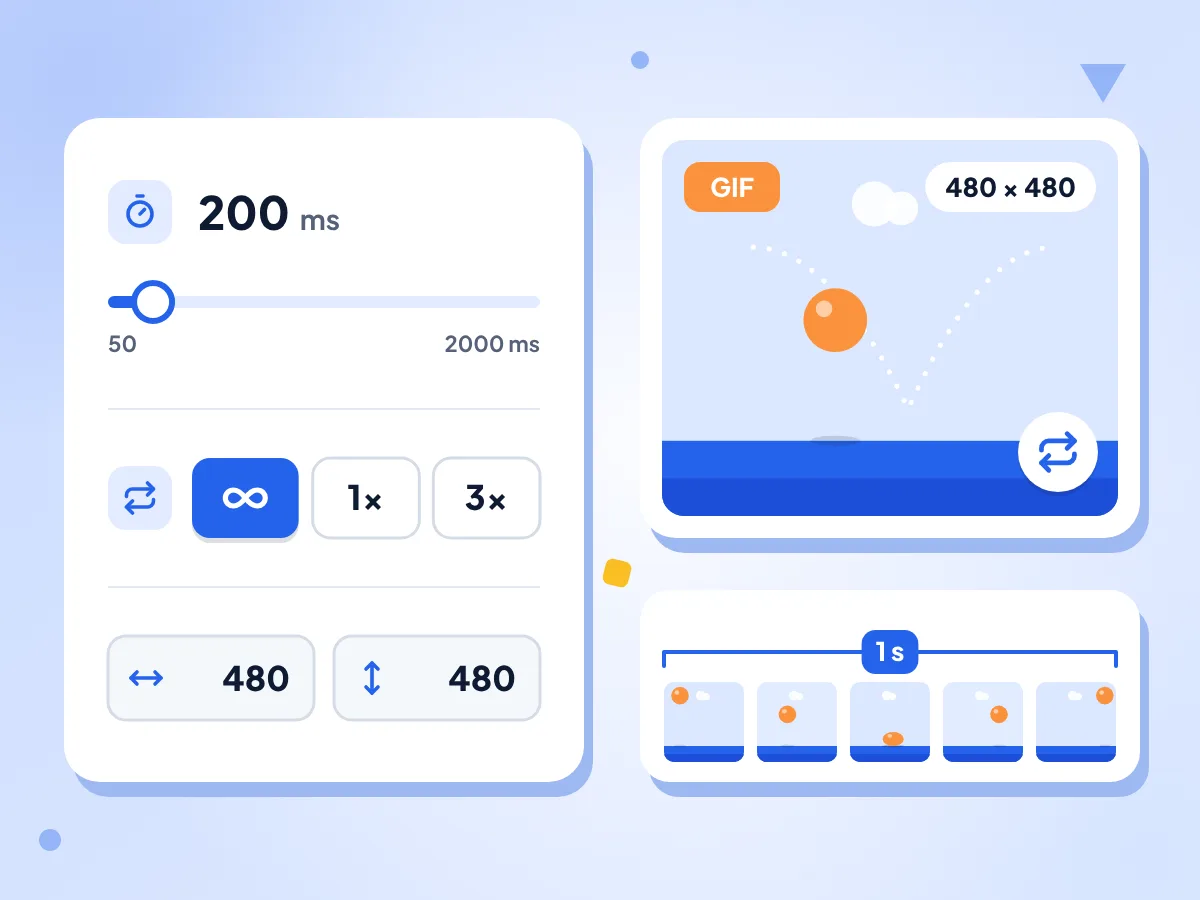
Drag the Frame Delay slider from 50 to 2000 ms in 50 ms steps; the same delay applies to every frame. Then choose Forever, Once or a set number of loops.
- Frame delay from 50 to 2000 ms
- Starts at 200 ms, five frames a second
- Loop forever, once or a set count
Pick the GIF Size
Width and height start at your first image's size. Set them last, since moving, adding or removing a frame resets them. Other shapes are fitted inside and centered, never stretched.
Preview and Check the File Size
After you click Create GIF, a progress bar runs while the frames are encoded. The finished GIF plays on the page with its file size shown, so you can check it before downloading.
Free, No Watermark, No Sign-Up
The GIF maker adds no logo or text to your animation and asks for no account. There is no daily limit, so make as many GIFs as you like.
Your Images Stay on Your Device
Your pictures are turned into a GIF right here in the tab, and the file lands in your downloads folder. We only collect anonymous stats, like frame count and delay, never the pictures.
How to Make a GIF in 3 Steps
Add your images.
Drop several JPG, PNG or WebP files on the page, or click to choose them. Each image becomes one frame, and the editor opens.
Arrange and time the frames.
Use the arrow buttons to change the order, drag the Frame Delay slider to set the speed, and pick a loop option. Set the output size last, because moving a frame resets it.
Create and download.
Click Create GIF and watch the progress bar. Check the preview and file size, then click Download GIF to save animated.gif.
Frequently Asked Questions
Common questions about creating animated GIFs from images.
How do I make a GIF from pictures?
Drop your pictures on this page, and each one becomes a frame in the editor. Put them in order with the arrow buttons, set the frame delay and the loop, then click Create GIF. When the preview looks right, click Download GIF.
How do I change the speed of my GIF?
Use the Frame Delay slider. It sets how long each frame stays on screen, from 50 to 2000 ms in 50 ms steps, and starts at 200 ms. Lower values play faster: 100 ms is about 10 frames a second, while 1000 ms suits a slideshow.
Can each frame have a different delay?
No. One delay applies to every frame in the GIF. To hold one picture on screen longer, add the same image two or three times with Add more images, then use the arrow buttons to place the copies next to each other.
How do I make a GIF loop forever or play only once?
Choose a Loop option before you click Create GIF. Forever is the default and repeats the animation with no end. Once plays it a single time and then stops. The third button lets you type how many times it repeats, starting at 3.
What width and height will my GIF have?
By default the GIF takes the width and height of your first image. Type another size in the Width and Height boxes as the last step before Create GIF, because moving, adding or removing a frame resets them. Images with a different shape are scaled to fit inside, centered and never stretched.
Why are there bands around some frames of my GIF?
Those bands show up when an image has a different shape from the GIF. Each frame is fitted inside the output size without stretching, and the leftover space is filled. For edge-to-edge frames, crop or resize your pictures to one size first, for example with the Image Resizer.
Can I keep a transparent background in my GIF?
No. Clear areas in PNG or WebP frames are not kept transparent, because the encoder saves every pixel as a solid color. For clean edges, place your artwork on a solid background in your design app first, then add those frames here.
Which image formats can I use for my GIF frames?
You can add JPG, PNG and WebP images and mix them in one GIF, with each file adding one frame. GIF, HEIC, BMP and video files are turned away by the uploader, so convert iPhone HEIC photos to JPG before you start.
Can I make a GIF from a video instead?
Not on this page. The GIF maker takes still images only. For a clip, use the free Video to GIF tool: it lets you trim a section of an MP4, MOV or WebM file and saves that part as an animated GIF.
Is there a limit on how many images I can add?
There is no set limit on images or file size, and no daily cap. Every frame is held in your device's memory while the GIF is built, so dozens of full-size phone photos can be slow. Lower the width and height, after your last reorder, to speed it up and shrink the file.
How do I make a GIF without losing quality?
Start with images that share one size and keep the output at that size. The GIF format holds at most 256 colors in each frame, so photos with smooth shading may show some banding. Flat graphics, screenshots and pixel art come through with the least change.
Are my pictures uploaded when I make a GIF?
No. The frames are combined into a GIF by your own browser, and the finished file goes straight to your downloads. The page reports anonymous usage numbers, such as frame count, delay, loop mode and output size, but not the pictures, their names or their pixels.
Explore More Tools
Discover other free tools that work great alongside this one
Image Compressor
Reduce file size without losing quality
Image Converter
Convert between 30+ image formats
MP4 to GIF
Create animated GIFs from video clips
Image Cropper
Crop images freehand or to 1:1, 16:9 and other ratios
Image Resizer
Resize images to exact dimensions
Video Trimmer
Trim and cut video clips in browser