

Background Remover
AI background removal that runs in your browser, so your photos never leave your device. No uploads, no account, no watermark. Free forever.
Drop your image here
Supports JPG, JPEG, PNG, and WebP
No photo handy? Try one of these:
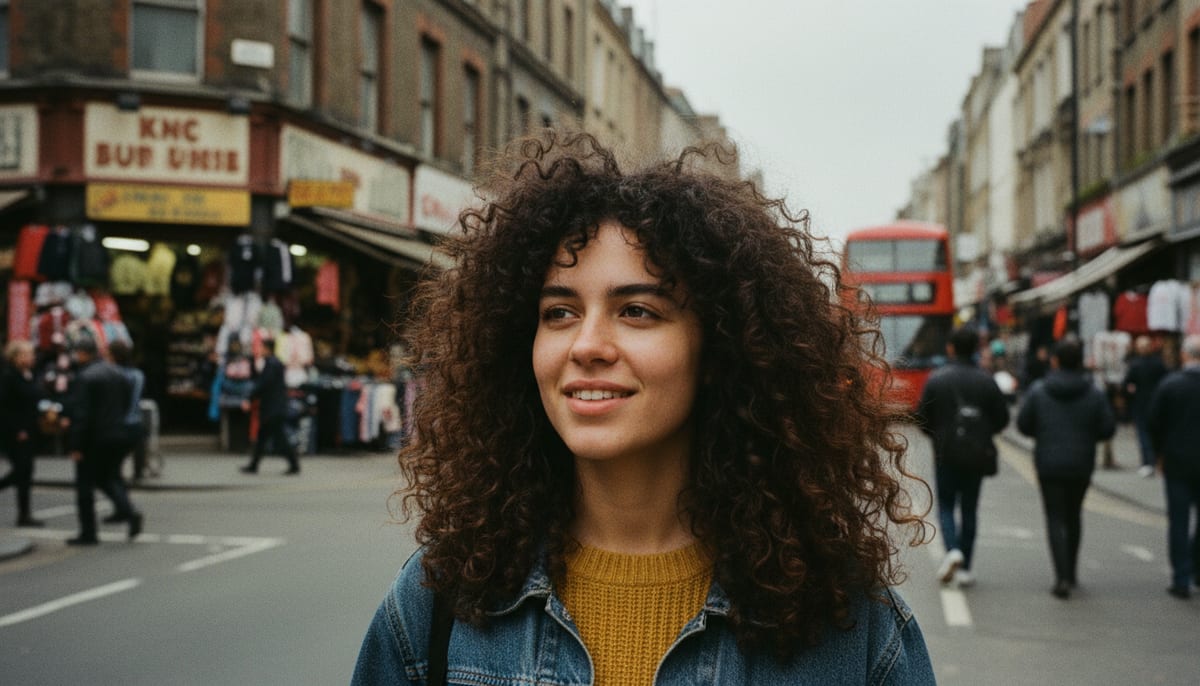
See it work on a real photo
Drag the divider to check the edges: hair, fur, and thin details are where background removal usually falls apart.
See another example:

How It Works
Upload your image by dragging and dropping or clicking to browse.
Choose your quality preference and click "Remove Background".
Download your image as a PNG with a transparent background.
- Accepts
- JPG, PNG, WebP
- Output
- Transparent PNG or JPG
- In your browser
- Free, unlimited
Browser mode processes up to 1920px on your device and your photo is never uploaded. Replacing the background happens on your device.
Pro-Grade Background Removal in Your Browser
AI accuracy that runs in your browser, with no subscription. Clean cutouts for any image in seconds.
AI-Powered Accuracy
State-of-the-art segmentation models handle hair, fur, and fine edges cleanly — no messy halos, no manual touch-ups.
Private by Default
The free mode runs the AI model on your own device using WebGL and WebAssembly. Your photos never leave your browser.
Fast & High-Quality Modes
Pick Fast for quick previews or High Quality for complex subjects like wispy hair, transparent objects, or busy backgrounds.
Transparent or any colour
Keep the background see-through as a PNG, or drop the subject onto white, black, or any colour you pick and export a JPG. Switching colours is instant and never re-runs the AI.
No Signup, No Watermark
The browser mode is free forever. No account, no credit card, no watermark on the result. Unlimited removals, unlimited downloads.
Works Offline After First Use
Once the AI model downloads, the tool works fully offline. Perfect for planes, trains, or flaky Wi-Fi.
Who Uses the Background Remover
From Etsy sellers to designers, anyone who needs clean cutouts reaches for a fast, private remover.
E-commerce & Product Photos
Create consistent white or transparent product backgrounds for Shopify, Amazon, Etsy, and catalog grids.
- Uniform product cutouts for listings
- Amazon-compliant white backgrounds
- Fast turnaround for large catalogs
Designers & Content Creators
Isolate subjects for posters, thumbnails, social graphics, and composites — no Photoshop required.
- YouTube and podcast thumbnails
- Poster and banner composites
- Subject cutouts for photomanips
Personal & Everyday
Profile pictures, digital stickers, meme edits, and fun family photos with new backgrounds.
- Clean headshots for LinkedIn or CVs
- Transparent stickers for WhatsApp
- Swap backgrounds in holiday photos
Explore More Tools
Discover other free tools that work great alongside this one
Transparent Background Maker
Make an image background transparent and download a PNG
White Background Maker
Put a product or portrait on a clean white background
Black Background Maker
Put a photo or product on a solid black background
Grey Background Maker
Put a photo or product on a neutral grey background
Blue Background Maker
Put a photo on a solid blue background for ID and school photos
Green Background Maker
Put a photo on a solid green background for chroma keying
Blur Background
Blur the background behind your subject, like portrait mode
Image Compressor
Reduce file size without losing quality
Image Resizer
Resize images to exact dimensions
Image Converter
Convert between 30+ image formats
PNG Converter
Convert to and from PNG format
WebP Converter
Convert to and from WebP format
QR Code Generator
Create custom QR codes instantly
Frequently Asked Questions
Answers to the most common questions about removing image backgrounds online.
Does this background remover upload my images to a server?
No. The default mode runs entirely in your browser using WebAssembly and WebGL, so your images never leave your device.
What image formats are supported?
You can upload JPG, JPEG, PNG, and WebP images. The result is always a PNG file with a transparent background, which preserves full quality without any lossy compression.
Why does the first use take longer?
The AI model (~20 MB) is downloaded from a CDN on first use and cached in your browser. All subsequent uses are instant since the model is already stored locally.
What is the difference between Fast and High Quality modes?
Fast mode uses a smaller AI model optimized for speed, ideal for simple backgrounds. High Quality mode uses a larger model that produces cleaner edges and handles complex backgrounds like hair or fine details much better.