

Free SVG Optimizer
This SVG optimizer minifies one SVG file and strips editor data, comments and metadata. Turn six cleanup options on or off, compare both versions, then download. Your file never leaves your device.
Drop your SVG here
or click to browse. One SVG file at a time
What the SVG Optimizer Removes and Keeps
Editor data, comments, metadata and hidden shapes are removed. The viewBox, title and colors stay, and path coordinates are never rounded.
Minify SVG and Strip Editor Data
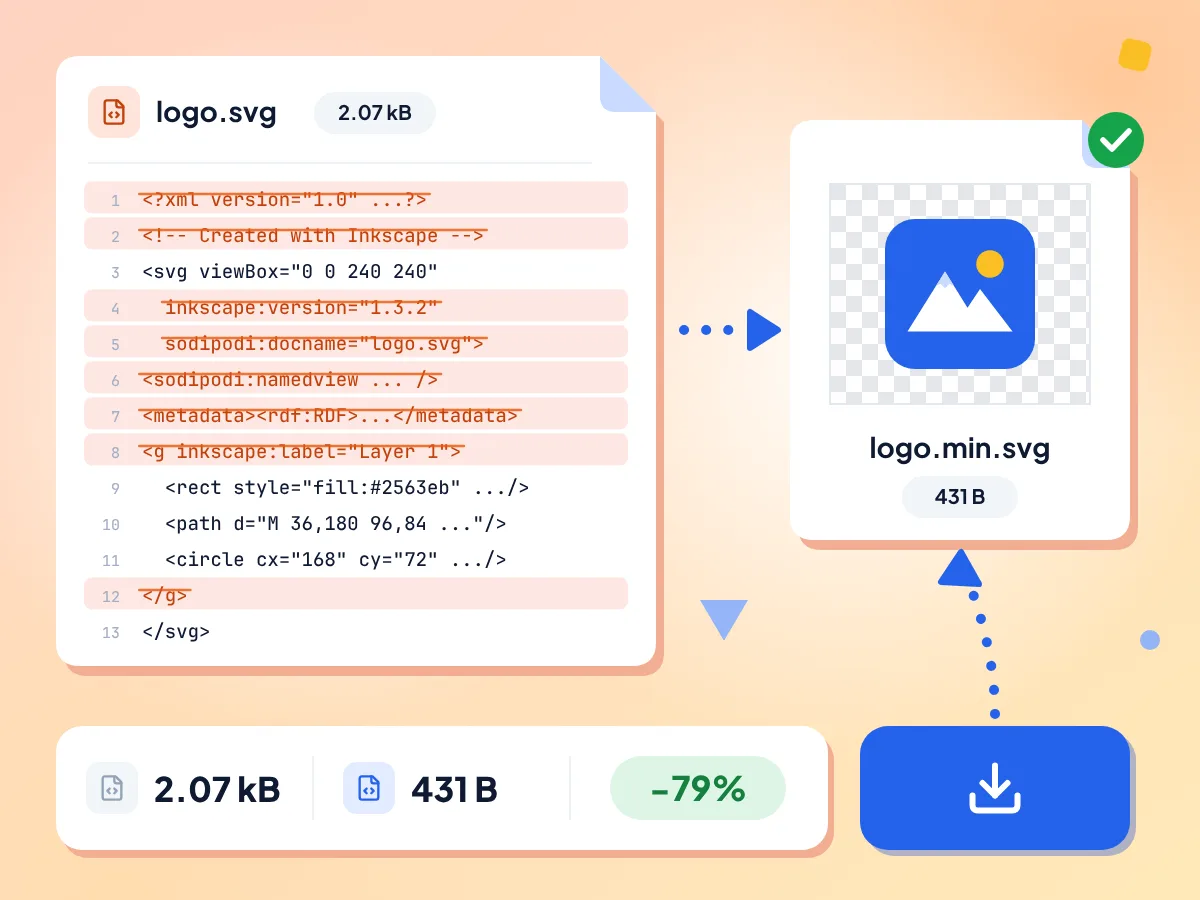
The optimizer removes Inkscape, Illustrator and Sketch editor data, the metadata block, comments, the XML header and extra whitespace. The stats bar shows the original size, the new size and the percent saved.
- Inkscape, Illustrator and Sketch data removed
- Original size, new size and percent saved
- Saved as your file name plus .min.svg
Choose Which SVG Cleanups to Run
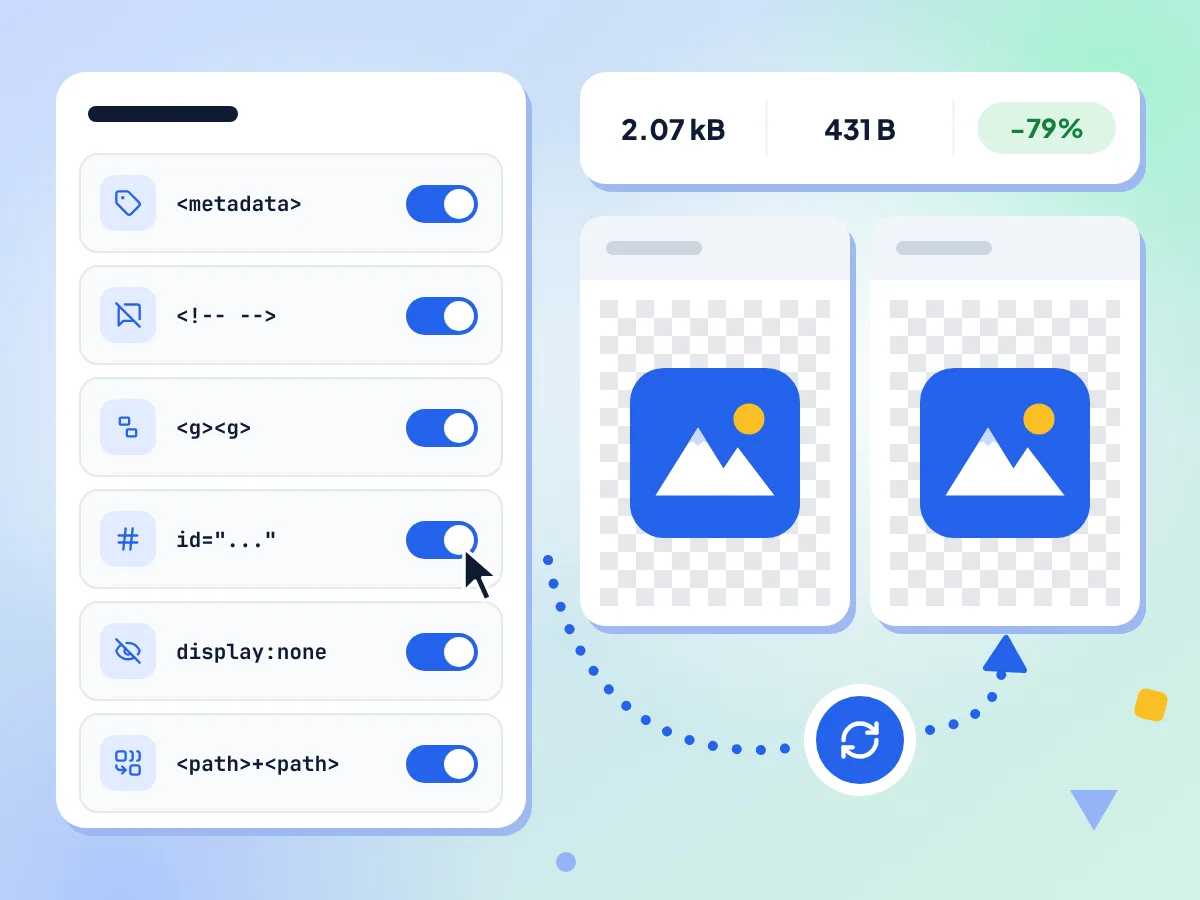
Six switches control the cleanup: Remove metadata, Remove comments, Collapse groups, Clean IDs, Remove hidden elements and Merge paths. All start on, and the SVG is optimized again each time you flip one.
- Six switches, all on by default
- Result updates after every switch change
- Turn off Clean IDs to keep your IDs
Side-by-Side Visual Preview
The original and optimized SVGs sit side by side on a checkerboard. Compare them to spot a missing shape or a lost gradient before you download.
Original and Optimized Code
Click Show code diff to read both files as code, side by side. It shows the full text of each rather than highlighting changes, and the optimized version sits on one line.
Built on SVGO 4
The page runs SVGO with multipass on, repeating the cleanup while the file keeps shrinking. It never rounds path coordinates or rewrites colors, so shapes stay exact.
Your SVG Stays on Your Device
Your file is optimized in this browser tab and downloaded straight from it. Anonymous usage stats, such as which switches were on and a file size range, are sent; your SVG code is not.
How to Optimize an SVG in 3 Steps
Add your SVG.
Drop one .svg file on the page or click to browse. The editor opens and optimizes it right away with all six options on.
Check the result.
Compare the two previews and the size saved. If something looks wrong, turn an option off and the file is optimized again.
Download the SVG.
Click Download to save the optimized file. It keeps your file name with .min.svg on the end, so logo.svg becomes logo.min.svg.
Who Uses the SVG Optimizer
Developers and designers who ship SVGs on the web and care about load performance.
Faster Web Pages
Smaller SVG logos and icons mean less code for the browser to load. Optimize SVG files before you add them to a site or app.
- Shrink a hero logo exported from a design app
- Clean an exported SVG before you inline it in HTML
- Strip comments and metadata from icons before launch
Design App Exports
Inkscape, Illustrator and Sketch save layer names, editor settings and metadata in each file. Remove them before you add the file to a design system or a code repo.
- Strip Inkscape layer names and sodipodi settings
- Remove Illustrator data blocks from saved SVG files
- Clean a logo before handing it to developers
Charts and Diagrams
Charts and diagrams saved as SVG often carry empty groups, hidden layers and long IDs. Clean them up so the file is smaller to store, share and embed in a page.
- Remove empty groups from an exported chart
- Drop hidden layers left over from editing
- Shorten long IDs in a diagram file
Frequently Asked Questions
Common questions about optimizing SVG files online.
How do I reduce the size of an SVG file?
Drop the SVG on this page and the optimizer removes editor data, metadata, comments, hidden shapes and extra whitespace. Check the preview and the size saved in the stats bar, then click Download to get the smaller file.
How much smaller will my SVG get?
From about 1% to 80% in our sample files, depending on where the file came from. An Inkscape-style logo full of editor data shrank by 80%, while a clean 24 px icon shrank by 1%. Photos embedded inside an SVG do not get any smaller.
Will optimizing an SVG change how it looks?
Usually not. Shapes, colors and path coordinates are kept as they are. The risk is Remove hidden elements, which deletes shapes set to zero opacity or display none, even if CSS or a script would show them later. Compare the two previews before you download.
Why did my CSS or JavaScript stop working after optimizing?
Clean IDs is the likely cause. It deletes unused IDs and renames the rest to short ones such as a and b, so CSS or scripts outside the SVG that look for an ID no longer match. If the SVG has its own style or script tag, Clean IDs leaves the IDs alone. Turn Clean IDs off to keep them.
What do the six optimization settings do?
Remove metadata deletes the metadata block. Remove comments deletes code comments. Collapse groups unwraps groups that do nothing. Clean IDs shortens or removes IDs. Remove hidden elements drops invisible shapes and unused definitions. Merge paths joins neighboring paths that share a style.
Does the optimizer keep the viewBox and title?
Yes. The viewBox, width, height, title and desc tags are always kept, so the SVG still scales and has its text label. One catch: Clean IDs removes the ID of a title, which breaks an aria-labelledby link to it. Turn Clean IDs off for those files.
Does the SVG optimizer round numbers or shorten path data?
No. Path coordinates are not rounded, so no digit that matters is cut, and colors are not rewritten. Merge paths rewrites the path code when it joins two paths, so 10.000000 can become 10, but the value stays the same. Files with long decimals shrink less here for that reason.
Why does the optimizer show an error for my SVG?
The file is not valid SVG code. The optimizer reads the file as text and stops at broken markup, such as an unclosed tag, and the message names the line and column. Fix that spot in a text editor and add the file again.
Can I see the code that was changed?
Yes. Click Show code diff under the previews to open the original and optimized code side by side. It shows both full files rather than highlighting each change, and the optimized code is minified onto one long line.
Can I optimize SVGZ files or paste SVG code?
No. The tool takes one .svg file at a time and has no box for pasting code. Dropping two files shows the same error as a wrong file type. Compressed .svgz files are not accepted, so unpack them to a plain .svg first. To clean many files in one go, use the Batch SVG Optimizer.
Is this SVG optimizer the same as SVGO?
It runs SVGO 4 in your browser, with a fixed set of 13 plugins instead of the default preset. Six of them are the switches in the editor. The other seven always run and remove editor data, the XML header, the doctype and empty tags.
Is my SVG sent anywhere when I optimize it?
No. Your SVG is read and optimized inside this browser tab, and the result is saved straight to your downloads. The page sends anonymous usage stats, such as which switches were on and a rough file size, but never the SVG code or its name.
Explore More Tools
Discover other free tools that work great alongside this one
Image Compressor
Reduce file size without losing quality
Image Converter
Convert between 30+ image formats
SVG to PNG
Rasterize vector graphics to PNG
Favicon Generator
Make ICO and PNG favicons from a PNG, JPG, WebP or SVG
Image Resizer
Resize images to exact dimensions
Background Remover
Remove image backgrounds and save a transparent PNG