

Blur the Background of Any Photo Online
Blur everything behind your subject for an instant portrait-mode look. The subject stays sharp, the background goes soft, right in your browser.
Drop your photo here
Supports JPG, PNG, and WebP
No photo handy? Try one of these:
See the Blur Background Effect on Real Photos
Drag the divider. The subject stays sharp while everything behind it goes soft, the way a wide aperture would.
See another example:
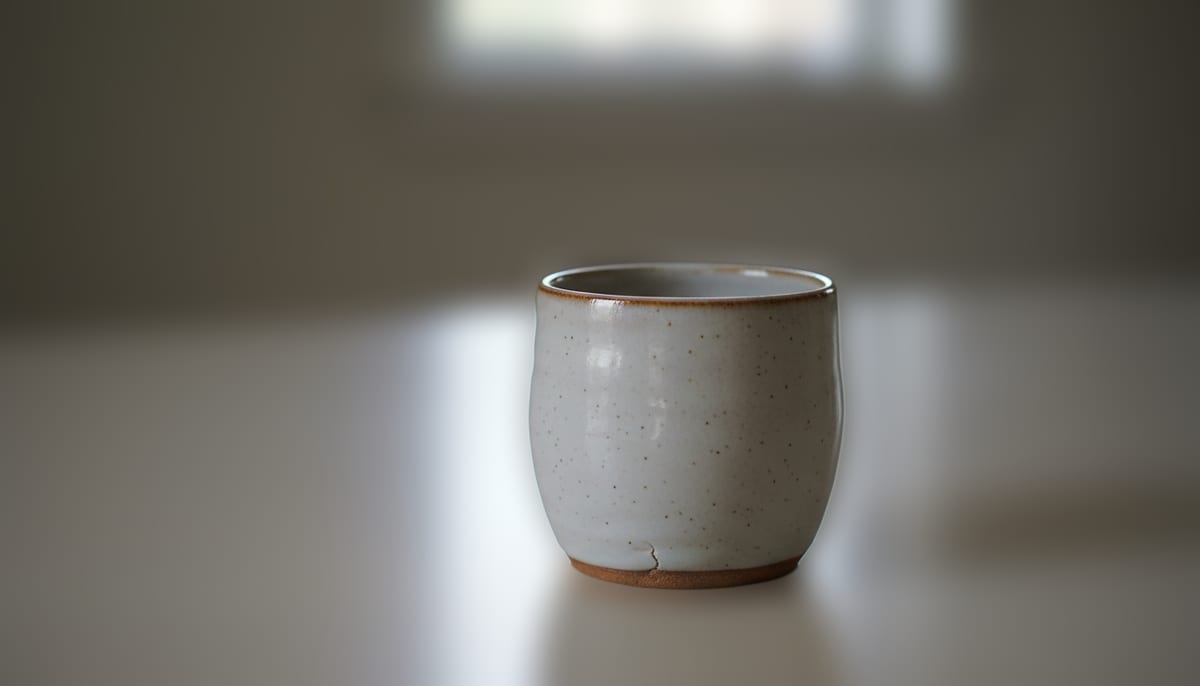
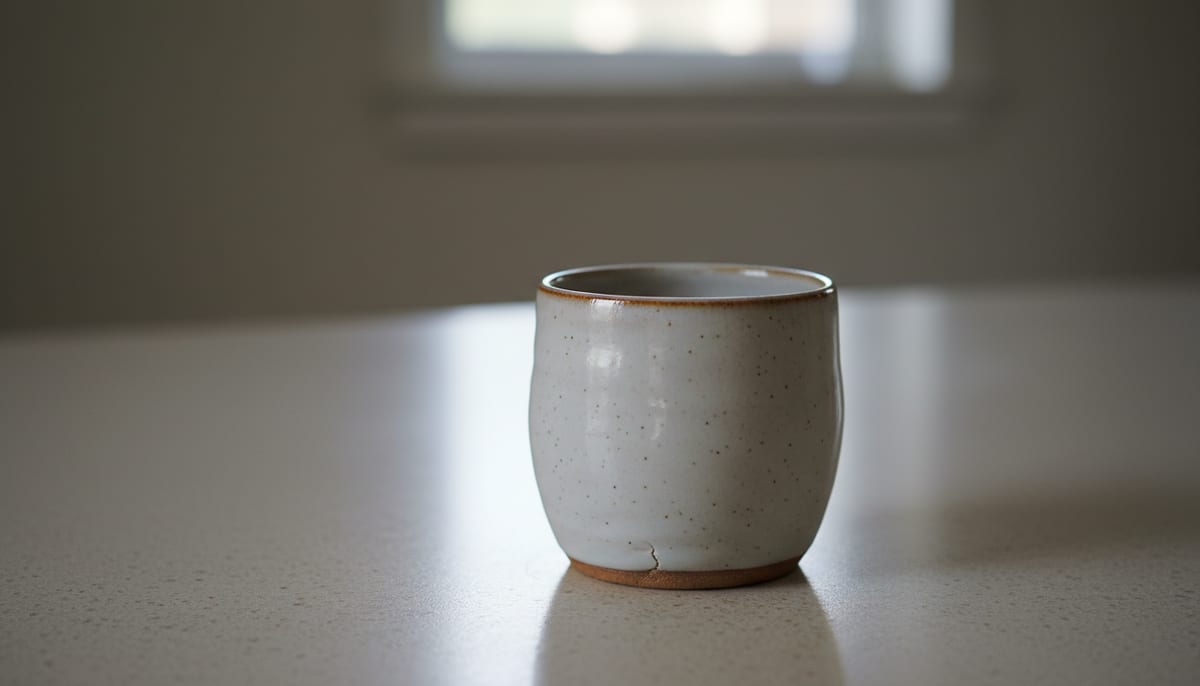
How to Blur a Photo Background
Upload your photo by dragging it in or clicking to browse.
Pick Fast or High Quality, then choose Light, Medium, or Strong blur.
Download your photo with the background blurred, ready to share or upload.
- Accepts
- JPG, PNG, WebP
- Output
- JPG, PNG, or WebP
- In your browser
- Free, unlimited
- Blur strength
- Light, medium, strong
The subject is cut out on your device and your original photo is blurred behind it, so nothing is uploaded and switching strength costs nothing. Each level scales to your photo's size, so medium looks the same on any photo. A wispy edge like loose hair is where any cutout is hardest, so try High Quality mode if the outline looks rough.
A Blur Background Tool Built for a Natural Look
AI accuracy that runs in your browser, with no subscription. Blur the background of any photo in seconds.
AI-Powered Edge Detection
The segmentation model traces hair, fur, and fine edges before it blurs the rest, so the soft background does not bleed into your subject or leave a rough outline.
Adjustable Blur Strength
Choose Light, Medium, or Strong blur. Each level scales to your photo's size, so a medium blur looks the same on a phone shot and a full-resolution photo. Switching strength is instant and never re-runs the AI.
Fast and High Quality Modes
Pick Fast for a quick result on simple shots, or High Quality for wispy hair, pets, or busy backgrounds where the edge needs more care.
Private by Default
The free mode runs the AI model on your own device using WebGL and WebAssembly, so your photo never leaves your browser.
No Signup, No Watermark
The browser mode is free forever. No account, no credit card, and no watermark on your blurred photo. Unlimited uses, unlimited downloads.
Works Offline After First Use
Once the AI model downloads, the tool works fully offline. Blur a photo background on a plane, a train, or with spotty Wi-Fi.
Who Uses This Blur Background Tool
From product sellers to portrait fans, anyone who wants a soft, camera-like background reaches for a fast, private tool.
Product and Listing Photos
Soften a cluttered desk or shelf behind a product shot so the item stands out, without a studio backdrop.
- Blur strength you control, from a light haze to a strong bokeh look
- A consistent look across a full catalog of product shots
- JPG output ready to upload straight to your store
Portraits and Profile Photos
Get the portrait-mode look on a photo that was never shot in portrait mode, for LinkedIn, dating apps, or a personal profile.
- Sharp subject, soft background, no depth data needed at shot time
- Works on photos from any phone or camera
- Clean edges around hair for a natural look
Real Estate and Pet Photos
Blur a busy room behind a listing photo or a messy yard behind a pet photo, so the subject holds the viewer's attention.
- Blurs any background: indoor, outdoor, or busy scenes
- Keeps the subject in full detail while the room or yard goes soft
- Three blur strengths to pick from, per photo
Explore More Tools
Discover other free tools that work great alongside this one
Transparent Background Maker
Make an image background transparent and download a PNG
White Background Maker
Put a product or portrait on a clean white background
Black Background Maker
Put a photo or product on a solid black background
Grey Background Maker
Put a photo or product on a neutral grey background
Blue Background Maker
Put a photo on a solid blue background for ID and school photos
Green Background Maker
Put a photo on a solid green background for chroma keying
Background Remover
Remove backgrounds with AI precision
Image Resizer
Resize images to exact dimensions
Image Compressor
Reduce file size without losing quality
Circle Crop
Crop any image into a perfect circle with transparent background
Frequently Asked Questions
Answers to common questions about blurring a photo background online.
How do I blur the background of a picture for free?
Upload your photo and the tool cuts out the subject, then blurs everything behind it automatically. Pick a blur strength and download the result. It runs in your browser at no cost, with no signup and no limit on how many photos you process.
Does blurring the background upload my photo to a server?
No. The default mode runs entirely in your browser using WebAssembly and WebGL, so your photo never leaves your device.
Why does my blurred background have a halo around the hair or edges?
A halo means the cutout missed some fine detail before the blur was applied. Switch to High Quality mode, which uses a larger model built for wispy hair, fur, and busy backgrounds, then reprocess the photo for a cleaner edge.
Can I add portrait mode blur to a photo I already took?
Yes. This tool works on any photo, even one shot without portrait mode or depth data. The AI detects the subject after the fact and blurs the background around it, so it works on old photos, screenshots, and shots from any phone or camera.
What's the difference between blurring a background and removing it?
Removing a background cuts the subject out completely, leaving transparency or a flat colour behind it. Blurring keeps your original photo in place and only softens it, so the setting stays visible but no longer distracts from the subject.