

Free GIF to Animated WebP Converter
Convert GIF to WebP for free and keep the animation. Every frame, its timing and the loop setting carry over, usually into a smaller file, and your GIFs stay on your device.
Drop your images here
GIF
Max file size: 100 MB · Multiple files supported
How to Convert GIF to WebP
Add your GIFs.
Drop animated or still .gif files on the box above, or tap Choose images. Each file can be up to 100 MB, and you can add as many as you like.
Pick the quality.
WebP is already chosen for every file. Keep Quality at 90, lower it for a smaller file, or turn on Lossless under Advanced, then press Convert All.
Save your WebP files.
Download each one, or press Download All to get a ZIP. Every tile shows its new size and how it compares with the GIF.
GIF vs WebP: What Changes
Understanding the differences between GIF and WebP helps you choose the right format for your needs.
| Specification | GIF | WebP |
|---|---|---|
| Compression | Lossless | Lossy/Lossless |
| Quality | Good for simple graphics | Excellent |
| Transparency | Yes | Yes |
| Animation | Yes | Yes |
| File Size | Small for simple, Large for complex | Small |
Why convert from GIF?
- Limited to 256 colors
- Large file sizes for complex images
- Lossy compression for photographs
Why choose WebP?
- Superior compression efficiency
- Supports both lossy and lossless compression
- Transparency and animation support
When to use GIF
When you need animation or working with simple graphics with few colors.
When to use WebP
When optimizing for modern web performance and you can provide fallbacks for older browsers.
Why Convert GIF to WebP?
Animated GIFs stay animated as WebP, with transparency kept. Convert one GIF or a batch, with no account and no watermark.
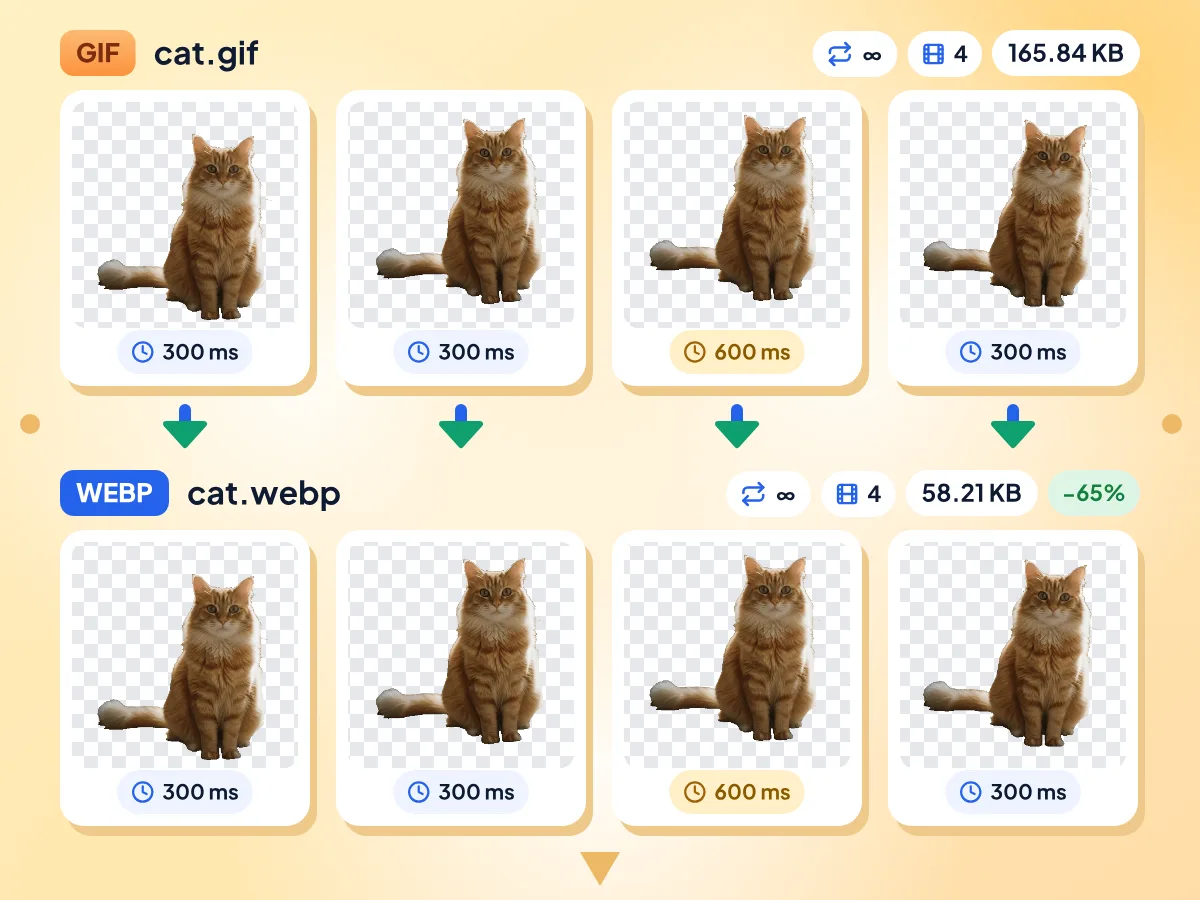
Convert Animated GIF to WebP
Every frame of the GIF goes into an animated WebP with the same frame delays and loop count, so it plays like the original. A one-frame GIF becomes a still WebP image.
- Every frame and its delay kept
- Loop setting carries over
- Transparent areas stay clear
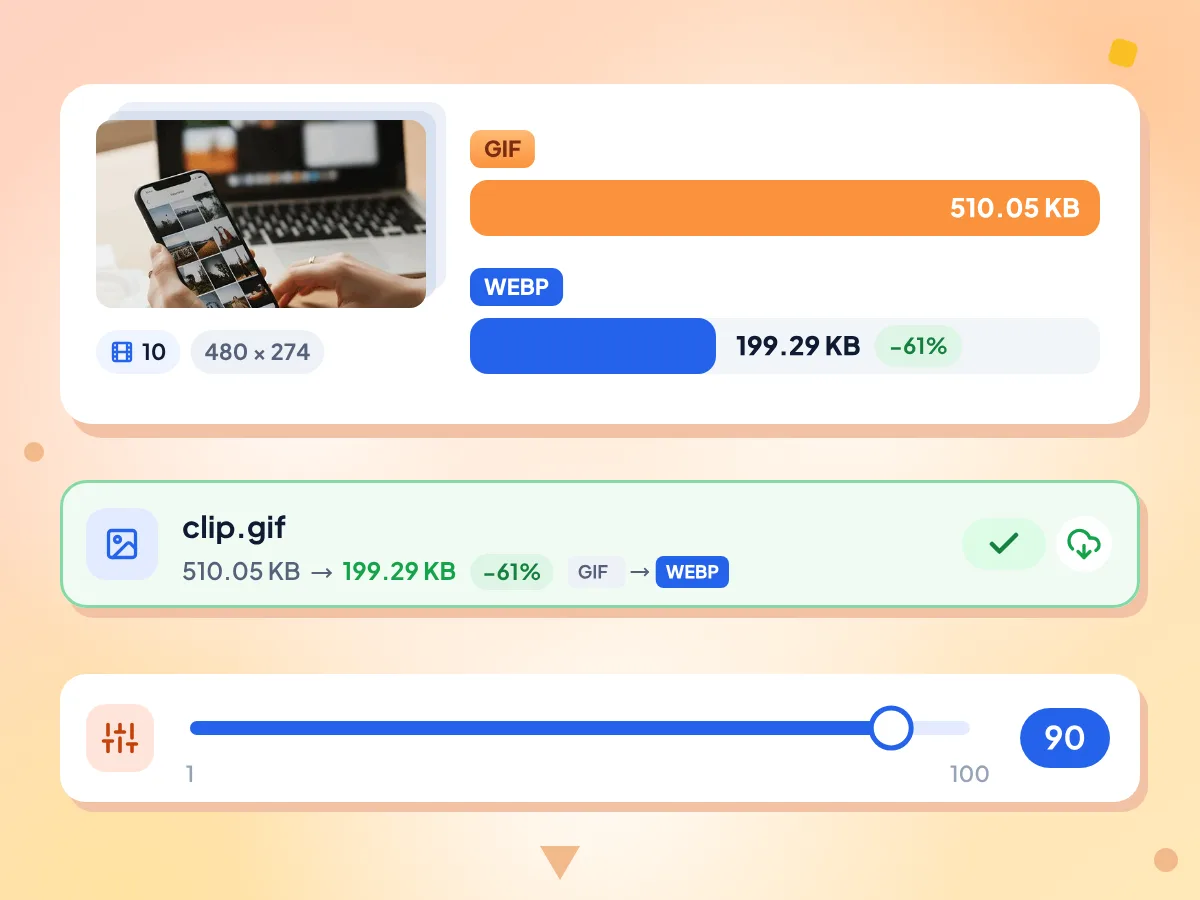
Make GIF Files Smaller as WebP
WebP usually packs the same animation into fewer bytes. In our test, a 510 KB GIF became a 199 KB WebP at the default Quality 90, and Quality 50 brought it down to 69 KB.
- Quality starts at 90, range 1 to 100
- Each tile shows the percent saved
- 61% smaller on our 10-frame test GIF
Lossless Mode for Exact Frames
Turn on Lossless under Advanced and every frame keeps the GIF's exact pixels. The file is bigger than at Quality 90, but in our tests it was still smaller than the GIF.
GIF to WebP Conversion FAQs
Answers about turning GIF animations into animated WebP files
How do I turn a GIF into WebP for free?
Add your GIFs to the upload box on this page. WebP is already set as the output, so press Convert All, then download each file or get them all as one ZIP. It costs nothing, and you don't need an account.
Will my GIF stay animated as WebP?
Yes. Every frame is copied into an animated WebP along with its delay and the loop count, so a GIF that loops forever still loops forever. We checked this with test GIFs of 3 to 12 frames. A one-frame GIF becomes a still WebP.
Is GIF to WebP conversion lossless?
Only if you turn it on. At the default Quality 90 the WebP is lossy, with small pixel changes that are hard to see. Switch on Lossless under Advanced and every frame keeps the GIF's exact pixels; in our tests those files were still smaller than the GIFs.
How much smaller is WebP than GIF?
It depends on the GIF. In our tests at Quality 90, a 10-frame photo GIF shrank 61%, a spinning logo 56% and a transparent cutout 62%. Lower Quality saves more: 86% at 50 for the photo GIF. Each file's tile shows its own result.
Does WebP keep the GIF's transparency?
Yes. Transparent pixels stay transparent in every frame, and the WebP is saved with an alpha channel. GIF pixels are either fully clear or fully solid, so the edges look just as they did in the GIF; WebP does not smooth them.
Is GIF or WebP better for a website?
WebP is usually the lighter choice for web pages, since it holds the same animation in a smaller file. GIF is still safer in places that may not show WebP, such as some email apps and older software, so keep a GIF copy for those.
Can I convert WebP back to GIF?
Yes. Use our WebP to GIF converter, which keeps every frame of an animated WebP. The GIF will usually be larger and is limited to 256 colors, so keep the WebP for your site and the GIF for places that can't show WebP.
Can I convert GIF to WebP in bulk?
Yes. Add as many GIFs as you want, each up to 100 MB, and press Convert All once. Files are converted one at a time with the same settings, so a very large batch depends on your device's memory. Download All saves two or more WebP files as one ZIP.
Can I resize a GIF while converting it to WebP?
Yes. Open Resize and enter a width or height in pixels, and every frame of the animation is resized the same way. Keep the lock on to hold the shape, or set both sides and choose Contain, Cover, Stretch or Pad.
Is it free and private to convert GIF to WebP here?
Yes on both. Your own browser converts the GIFs on your device, not our servers, and we only count general usage, like how long the editor was open, never your files or their names. There is no fee, sign-up or watermark.
Why did a GIF I added later become a JPG?
Files added later with Add More Files start as JPG, not WebP, and a JPG has no animation. Before you press Convert All, open Output Format, pick WebP and press Apply to all files.
When to Convert GIF to WebP
Web Performance Optimization
- Cut the weight of animated banners on your web pages
- Replace GIF loading spinners with smaller animated WebP files
- Convert GIF image galleries to WebP to reduce bandwidth costs on high-traffic pages
Content & Marketing Teams
- Embed GIF product demos on landing pages as lighter WebP files
- Convert GIF tutorials and how-to animations to WebP for documentation sites
- Keep the GIF for email and post the WebP on your site
Developers & Site Owners:
- Batch convert a folder of GIF assets to WebP in one go
- Convert GIF stickers to WebP for chat and sticker pickers
- Update old GIF animations on a legacy site to WebP
Explore More Tools
Discover other free tools that work great alongside this one