

Free AVIF Converter
This free AVIF converter turns JPG, PNG, WebP and HEIC images into AVIF files, and AVIF back into JPG or PNG. Convert in bulk with no sign-up, and your images stay on your device.
Drop your images here
JPG, PNG, WebP, GIF, SVG and more
Max file size: 100 MB · Multiple files supported
How to Convert to and from AVIF
Add your images.
Drop JPG, PNG, WebP, HEIC or AVIF files on the box above, or tap Choose images. Each file can be up to 100 MB.
Pick the output.
AVIF is already set for every file. To turn AVIF files into something else, choose JPG, PNG or WebP and press Apply to all files.
Convert and download.
Press Convert All, then save each file with its own button or use Download All for one ZIP. AVIF can take longer to save than JPG.
About AVIF Format
A next-generation image format based on the AV1 video codec, offering superior compression and quality compared to JPEG, PNG, and even WebP.
Advantages
- Best-in-class compression efficiency
- Supports both lossy and lossless compression
- HDR and wide color gamut support
- Royalty-free and open standard
Disadvantages
- Slow encoding speed
- Limited support in older browsers
- Not yet widely adopted by image editors
- Progressive decoding support still maturing
Technical Specifications
Best Use Cases
Why Use Our Free AVIF Converter?
Make AVIF files from your images or turn AVIFs into JPG, PNG and WebP, one file or a whole batch, with no watermark and no account.
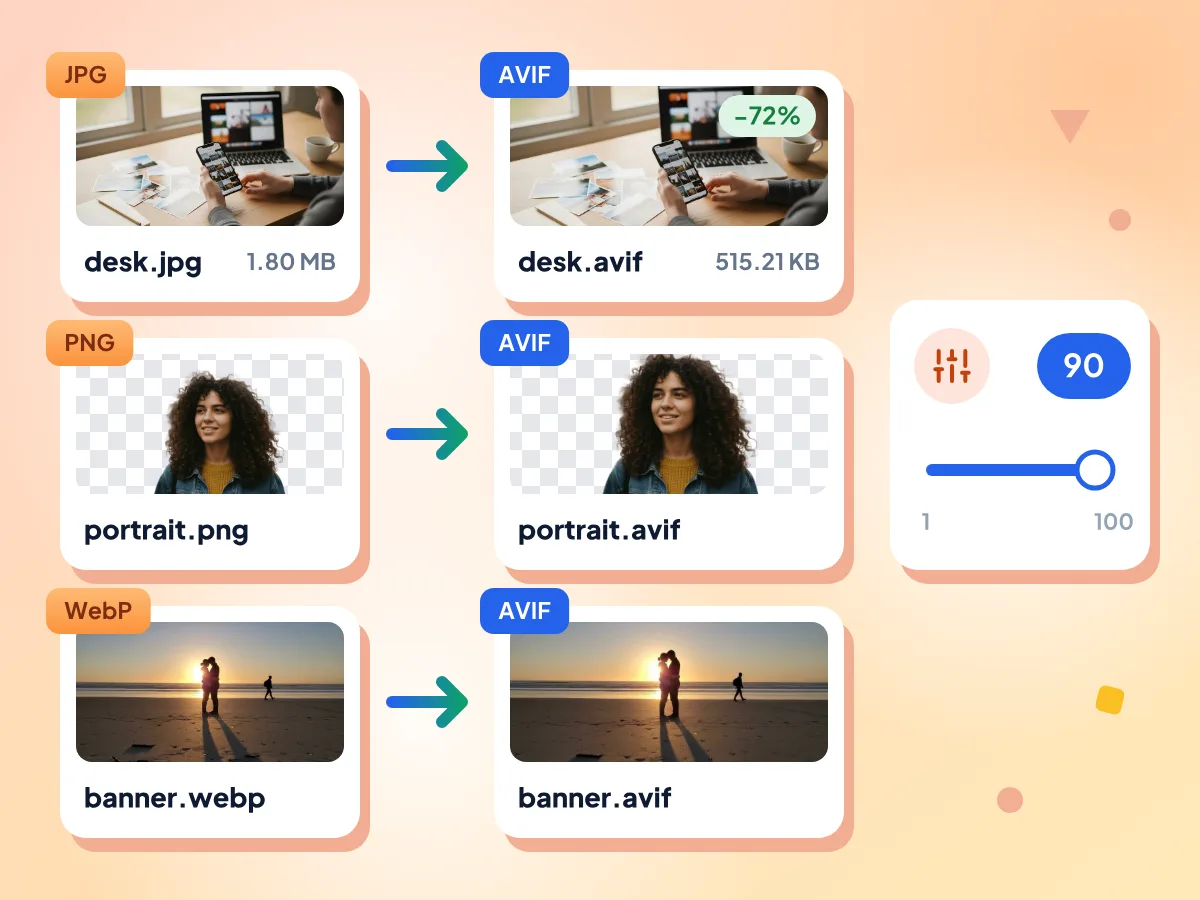
Convert JPG, PNG and WebP to AVIF
Every file you drop on the box is set to AVIF. At the default quality of 90, a 1.80 MB JPG photo became a 515 KB AVIF in our test, with the same pixel dimensions.
- AVIF pre-selected for dropped files
- Quality slider from 1 to 100
- Transparent backgrounds stay transparent
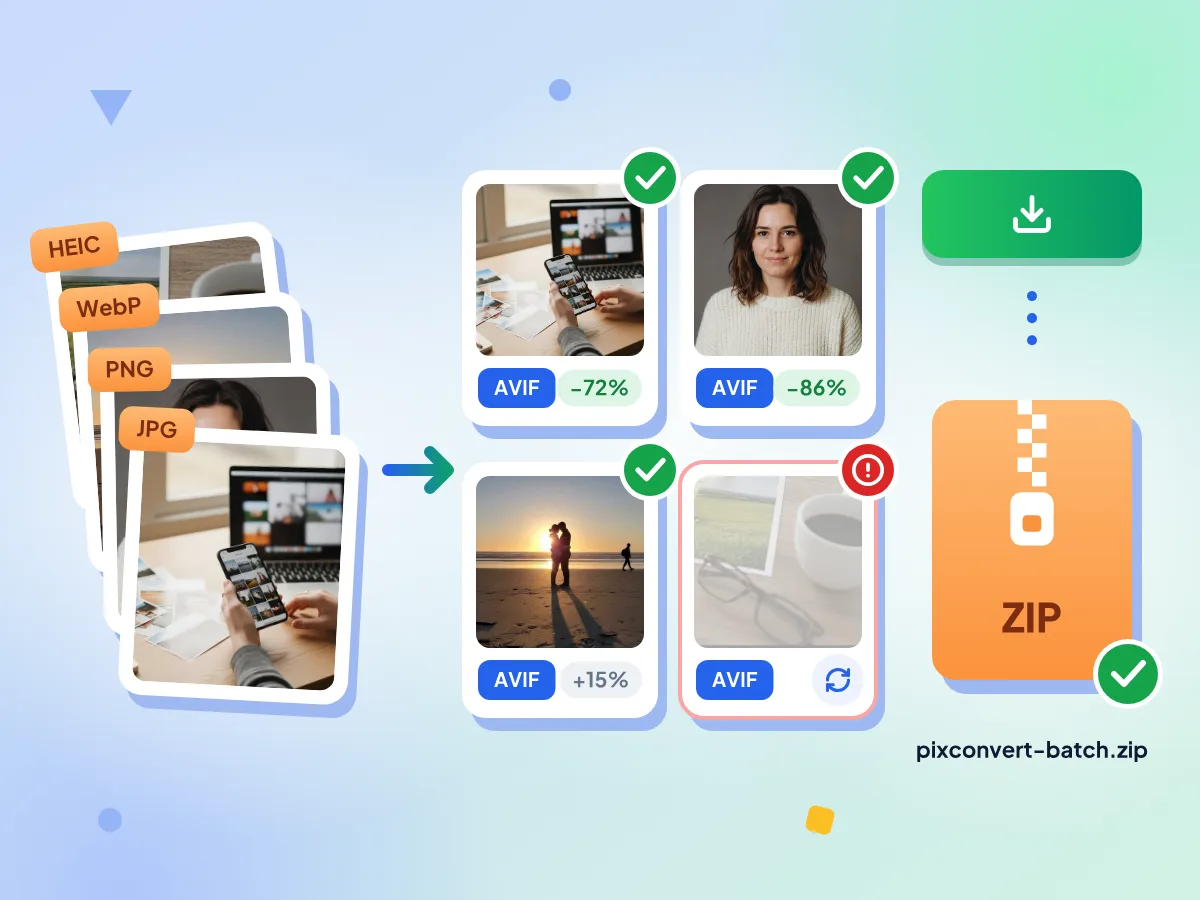
Bulk Convert Images to AVIF
Add as many images as you want and press Convert All. They are encoded one by one, each tile shows its new size, and Download All puts every AVIF in one ZIP.
- No daily cap or file count limit
- Up to 100 MB per image
- Retry a failed file on its own
Change AVIF Into Other Formats
Pick JPG, PNG or WebP from the format menu and press Apply to all files. JPG fills clear areas with white; PNG and WebP keep them clear.
GPS Data Removed by Default
Strip metadata is on from the start, so GPS location, camera details and dates are dropped while any color profile stays. Turn it off under Advanced to keep them.
Frequently Asked Questions About AVIF Conversion:
Answers about converting to and from AVIF.
How do I convert images to AVIF?
Add JPG, PNG, WebP, HEIC or other images to the box at the top. AVIF is already chosen as the output for each file you drop here, so you only need to press Convert All. Change Quality first if you want a smaller or sharper file; it starts at 90.
How do I convert AVIF files into other formats?
Add the AVIF files, open the Output Format menu and pick the format you need, such as PNG, WebP, TIFF or JPG, then press Apply to all files and Convert All. If you only ever need JPGs, the AVIF to JPG converter sets that for you.
How much smaller is an AVIF than a JPG?
It depends on the picture and the Quality setting. In our test, a JPG photo shrank by about 72% as an AVIF at the default quality of 90, and by about 94% at quality 50. Each file in the editor shows how its size changed, since an image that is already well compressed can come out larger.
Can I make a lossless AVIF?
Not yet. A Lossless switch appears for AVIF output, but in our tests it saved the same file as quality 90, so treat AVIF here as lossy. For a pixel-exact copy, choose PNG, or WebP with Lossless turned on.
Does AVIF keep transparency?
Yes. A PNG or WebP with a clear background stays clear when saved as AVIF, because nothing is flattened for AVIF output; our test with a cutout PNG confirmed it. Going the other way, AVIF to JPG fills clear areas with white or a color you pick, while AVIF to PNG keeps them see-through.
Can I convert an animated GIF to AVIF?
Only as a still picture for now. AVIF output keeps the first frame of an animated GIF or WebP, and that file's tile shows a note saying so. To keep the motion, leave the output as GIF or WebP, which save every frame.
Can I convert AVIF to PDF?
Not on this page. The format menu lists image formats only, such as JPG, PNG, WebP, TIFF and GIF. Use the free Image to PDF tool instead, which accepts AVIF files and places them in a PDF document you can download.
Why does saving to AVIF take longer than JPG?
AVIF compresses images much harder than JPG, and that extra work takes time. In a test outside the browser, one 16-megapixel photo took about 14 seconds, and your device will differ. Files are handled one at a time, so keep the tab open until every tile shows Done.
Is this AVIF converter free and private?
Yes. There's no sign-up, no watermark and no daily limit. A worker running in this browser tab converts your images, and they are never sent to our servers. We only count basic usage, such as how long the editor was open, never file names or contents.
What are the technical specifications of AVIF?
AV1 Image File Format (AVIF) uses lossy/lossless compression with excellent quality output. It supports transparency and supports animation. Typical file sizes are very small.
When should I use AVIF format?
When targeting modern browsers and need the smallest possible file sizes with excellent quality. Best use cases include next-generation web optimization, high-quality photography with small files, hdr content delivery. When you need universal browser compatibility or fast encoding times.
What are the advantages of AVIF over other formats?
Key advantages of AVIF: Best-in-class compression efficiency. Supports both lossy and lossless compression. HDR and wide color gamut support. Royalty-free and open standard. However, keep in mind: slow encoding speed, limited support in older browsers.
What Can You Do With an AVIF Converter?
For Faster Websites:
- Shrink hero images and product photos before you upload them
- Use AVIF as the primary format in picture elements with JPG and WebP fallbacks
- Cut image weight on pages that load many photos
For Blogs & Publishers:
- Deliver editorial photography in AVIF to reduce mobile data consumption for readers
- Shrink a batch of article images before publishing
- Turn AVIF images back into JPG or PNG for print work
- Resize thumbnails to one width while converting them to AVIF
For Shops & Marketing:
- Convert product catalog photos to AVIF for lighter product pages
- Keep transparent product cutouts clear in AVIF format
- Strip GPS and camera data from product photos by default
- Change AVIF to JPG for email campaigns that need JPG
Explore More Tools
Discover other free tools that work great alongside this one
Image Compressor
Reduce file size without losing quality
Image Resizer
Resize images to exact dimensions
Background Remover
Remove backgrounds with AI precision
QR Code Generator
Make free QR codes in your colors